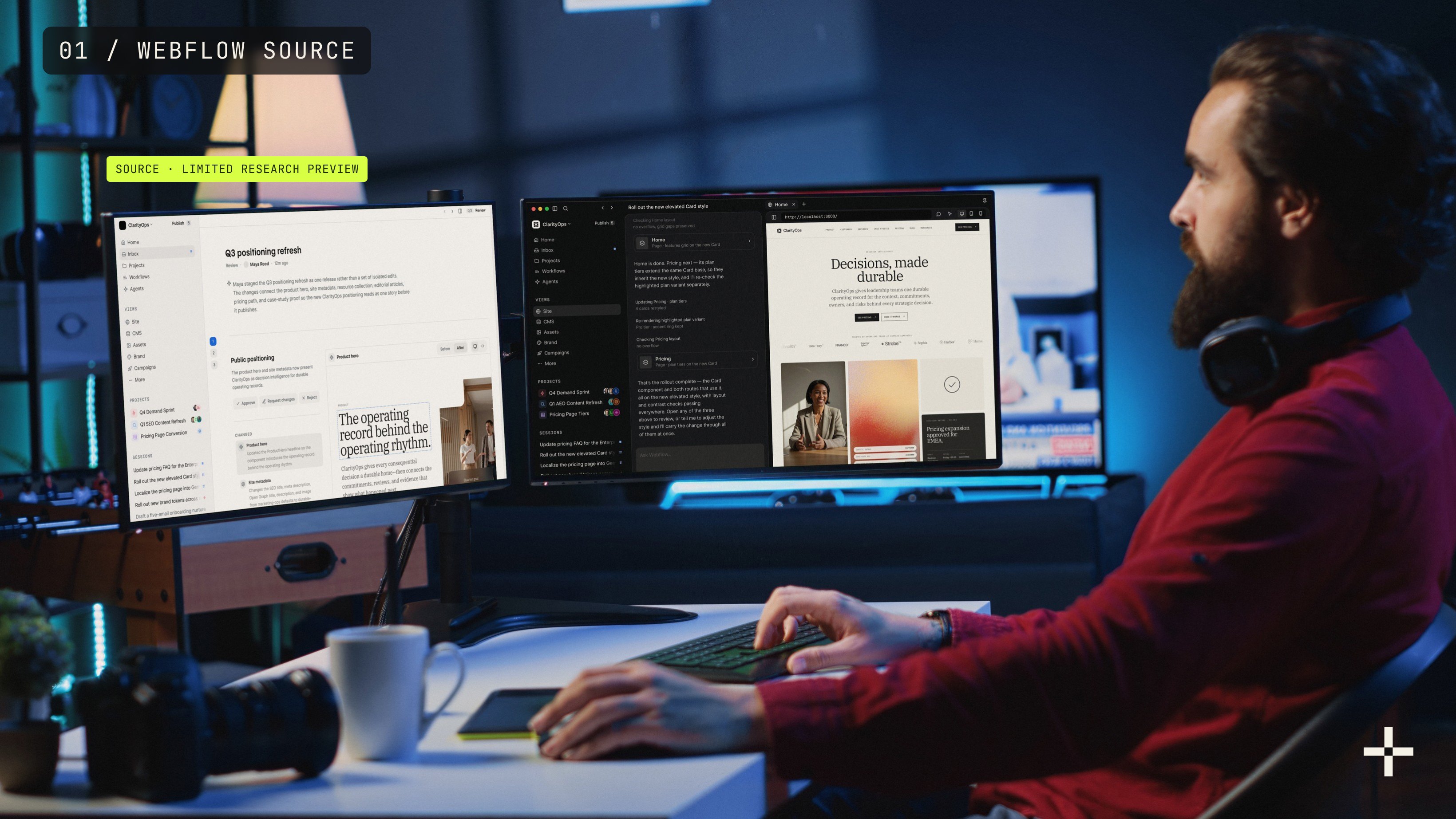
Source by Webflow is a new, code-first platform where marketing teams and AI agents build, optimize and run websites together, under the same roles, approvals and audit trails as the rest of the team. Webflow announced it at Webflow Conf on September 2, 2026, and it is in a limited research preview with no public pricing or release date. Your current Webflow site isn't going anywhere, and moving to Source will be optional.
That's the short version. If you run marketing on Webflow today, the practical question is whether to move, wait, or do something else entirely.
My answer: don't wait for Source, prepare for it. The work Source rewards is the same work that makes Webflow's AI tools useful right now. Full disclosure before we go further: StanVision doesn't have preview access yet, so everything below comes from Webflow's own announcement, its preview page and press coverage, not from hands-on use. Every detail about Source here is in research preview and subject to change.
What is Source by Webflow?
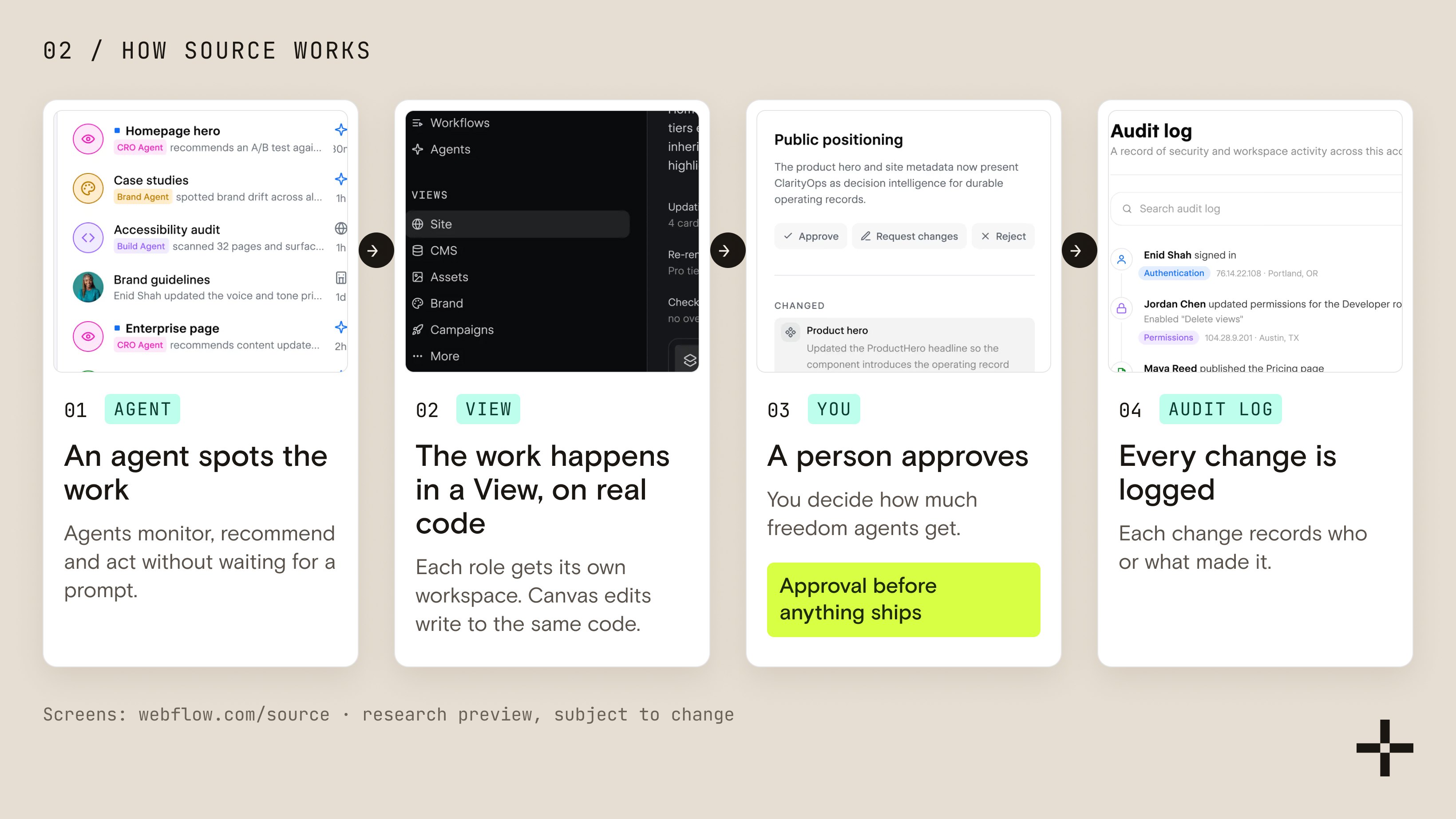
Source is a workspace where people and AI agents work on the same website code, with governance built in from day one. Webflow describes it as "a new platform for marketing teams and their agents to launch, optimize, and scale digital experiences, together" in its Source announcement.
It rests on three building blocks:
- Code as the foundation. Everything that ships on the site is real code. Agents change that code directly instead of working through an abstraction layer, and edits made on Webflow's visual canvas write to the same code underneath.
- Views. Each role gets its own workspace for its job: site building, campaigns, content, optimization. Teams and agencies can build custom Views and publish them for reuse.
- An agentic layer. Agents monitor, recommend and act without waiting for a prompt, and you can tailor them to specific jobs.
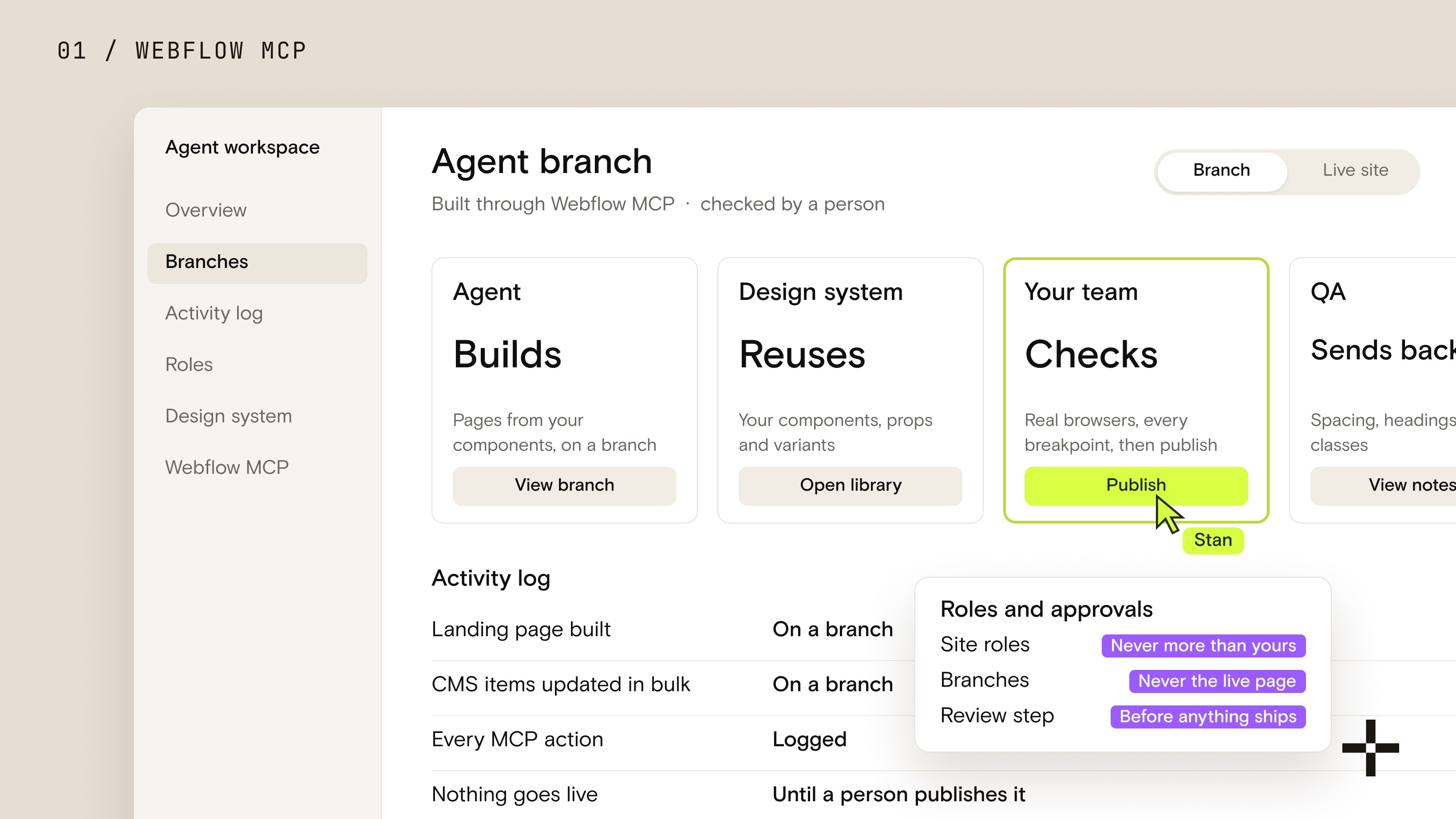
The governance part is what makes it relevant to a marketing leader rather than a developer side project. Workspaces come with brand systems, role-based access, approval paths and audit trails. You decide how much freedom agents get, including requiring human approval before anything ships, and every change is logged with who or what made it.
It has to serve marketers and now agents the way it has always served developers and designers.
Webflow's CMO Dave Steer made the same point from the other side at the launch: AI agents now have their own budget line, and they read websites the way people do (CMSWire). Source is Webflow's bet on a web where both of those readers matter, and where agents also help build the thing.
What Source isn't
A lot of the early commentary blurs three things, so here they are separately.
Source doesn't replace the Webflow Designer. Webflow says plainly that "the platform you know and love isn't going anywhere," and it keeps investing in the current platform, agentic features included. If you choose to move later, Webflow says it will provide a supported path.
Source isn't generally available. It's a limited research preview, with select agency partners and customers enrolled in phases over the coming months. There's no pricing and no release date.
And Source isn't a vibe-coding toy. Tools that generate a site from a prompt are built for speed to a first draft. Source is built for a team that already has a brand, a codebase, a martech stack and a legal review step, and wants agents working inside all of that rather than around it.
It connects to what you have
Source is designed to sit on top of your current stack rather than replace it.
Webflow says Source connects to existing codebases, CMSs, hosting and martech, including sites already built in Webflow, with no migration or rebuild required to connect a codebase. Teams that would rather stay on one vendor can use Webflow's own stack instead, including what Webflow calls its next-gen headless CMS.

How is Source different from Webflow and Webflow Cloud?
Webflow now has three products that can host what your team builds, and they solve different problems. Webflow Cloud is the one most people mix up with Source: it lets developers deploy full-stack apps, with Next.js and Astro as the primary frameworks, on Webflow's hosting, alongside a Webflow site or on their own (Webflow Cloud).
| Product | Who builds | Where the work lives | How agents work | Availability | Best for |
|---|---|---|---|---|---|
| Webflow (Designer and CMS) | Designers, marketers, Webflow developers | Webflow's visual canvas and CMS | Through Webflow MCP, under your roles, branches and logs | Available on all site plans | Marketing sites your team runs today |
| Webflow Cloud | Developers | Your app code, deployed to Webflow hosting | Whatever your developers set up | Live today, usage billed on Webflow plans | Logged-in areas, apps and tools on your domain |
| Source | Marketers, designers, developers and agents together | Real code, with a visual canvas on top | Agents act inside Views, with approvals and audit trails | Limited research preview, no pricing | Teams ready for agent-run sites on a code foundation |
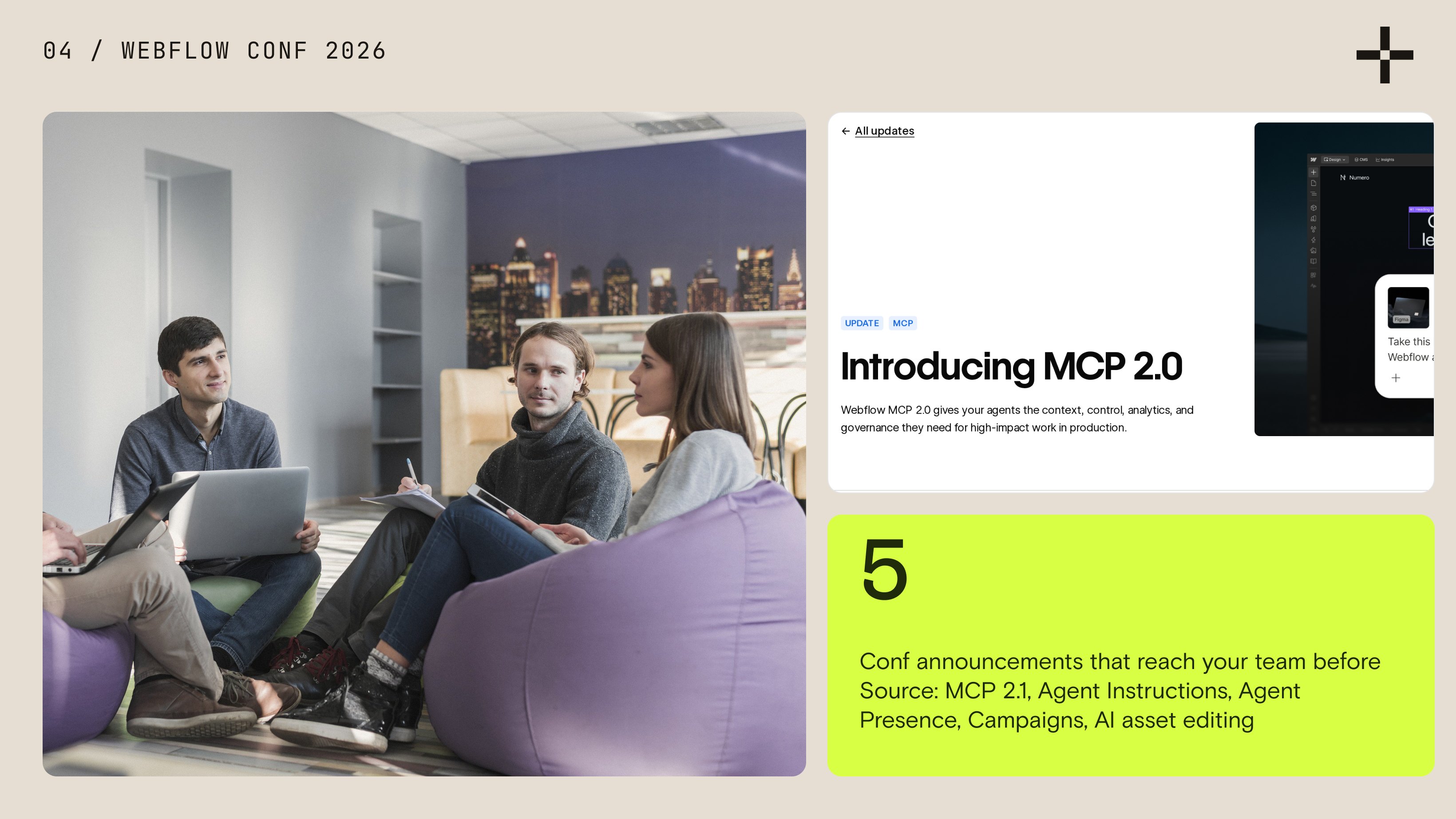
The agent access in the first row isn't hypothetical. Webflow MCP 2.0 shipped on July 21, 2026, at no additional cost on all plans. It gives agents like Claude, ChatGPT and Cursor access to your design system, CMS and analytics, working on branches, under your custom roles, with every action in the site activity log.
What else did Webflow announce at Webflow Conf 2026?
Source got the headlines, but several smaller announcements will reach your team sooner. Timing below comes from Webflow's coverage and a partner's recap of the event (Eightfold), so check Webflow's updates page before you plan around any of them.
- MCP 2.1, announced with agent access to GSAP interactions, slated for late September 2026.
- AI-generated Agent Instructions, which draft the brand and design rules agents read before acting. Available from the conference.
- Agent Presence, a marker in the Designer that shows where an agent is working and what it's editing, slated for the end of September 2026.
- Campaigns, agent-assisted landing pages with HubSpot and Salesforce integration, in beta and expected to go on sale in October 2026.
- AI asset editing in the Assets panel, building on Webflow's March 2026 acquisition of Vidoso, expected to enter beta in October.
Notice what these have in common. Almost every one assumes your site already has clean components, a structured CMS and written rules an agent can follow.
Who is Source for?
Webflow pitches Source at five groups, and each gets a different thing out of it:
- Growth and performance marketers who want to launch and test pages without waiting in a queue.
- Design teams with brand systems who need agents to use the system instead of improvising around it.
- Developers who set the guardrails and connect the codebase and stack.
- Agencies, which can build custom Views and resell them.
- Enterprises with existing codebases, since Source can connect to them without a migration.
This one's personal. When a prospect isn't fully sure about Webflow, I put a code-based alternative on the table on the same call, usually Astro with Sanity as the CMS. Source reads like Webflow's answer to that exact conversation: the control and portability of code, with the visual editing and governance marketing teams chose Webflow for in the first place.

Should you wait for Source?
No. Prepare for it instead. The groundwork Source rewards (a clean design system, a structured CMS, written agent rules and real permissions) is the same groundwork that makes Webflow MCP useful this quarter, so you get value now and move faster if you adopt Source later.
Source rewards the same groundwork Webflow MCP needs today. Do it now and you get the value twice.
Here's how I'd call it by situation:
| Your situation | What I'd do this quarter | Why |
|---|---|---|
| Already on Webflow | Stay, clean up the system, connect Webflow MCP on a branch | Your site isn't going anywhere, and the cleanup pays off with or without Source |
| On WordPress or custom code | Plan the move to Webflow on its own merits | Source has no date, and your current stack's costs don't pause while you wait |
| Redesign due in the next 6 months | Run the redesign now, built agent-ready from day one | A component-based build with clean CMS fields is what any agent platform needs |
If you're in the second row, our Webflow vs WordPress comparison is the honest version of that decision, and a Webflow migration is how we move sites without losing the rankings they've earned.
Not sure your site is agent-ready?
We'll review your design system, CMS structure, schema and permissions, then hand you a prioritized fix list.
Request a review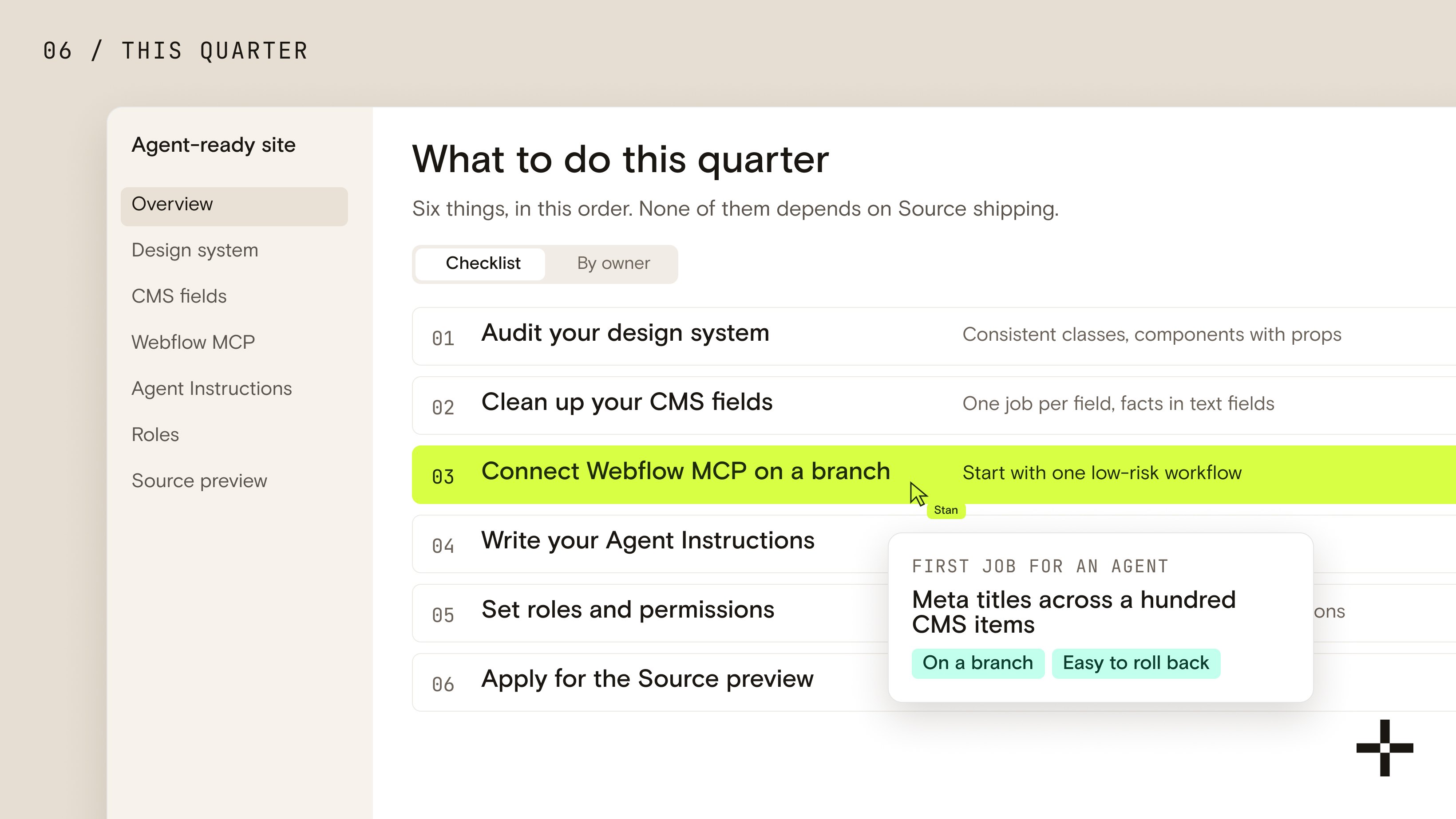
What should you do this quarter?
Six things, in this order. None of them depends on Source shipping, and all of them make your Webflow site easier to run with AI agents today.
- Audit your design system. Consistent classes, components with props, no one-off sections. An agent can only reuse what's actually reusable.
- Clean up your CMS fields. Descriptive field names, one job per field, facts like pricing and specs in text fields rather than baked into images.
- Connect Webflow MCP on a branch. Start with one low-risk workflow, like bulk SEO fixes, and keep agents off the live site until you trust the output.
- Write your Agent Instructions. Brand voice, design rules and legal limits, as short rules agents read before acting. Let Webflow generate a first draft, then edit it hard.
- Set roles and permissions. Decide who, and what, can touch which collections, pages and locales.
- Apply for the Source preview at webflow.com/source. It costs nothing, and approved teams hear back from Webflow directly.
Start with one governed workflow
The teams that get value from agents first don't start with a whole site.
Pick one repetitive job, run it on a branch, review the activity log, and only then widen the agent's permissions. Meta titles across a hundred CMS items is a good first job: easy to check, easy to roll back, and tedious enough that nobody will miss doing it by hand.
This is the groundwork we build into every Webflow development project now. Every site we hand over ships with SKILL.md and DESIGN.md files, so the client's team can run and extend it with Claude from day one, on today's Webflow and on whatever Source turns into.

What changes for agencies?
The value moves from building pages to designing systems that agents can run. When an agent can assemble a landing page from your components in minutes, the hard and valuable work is the component library, the CMS model, the rules and the review flow behind it.
I'm glad to see it. The hard part of a B2B website has always been the system that keeps the next two hundred pages on-brand, and that's exactly the part agents can't invent for you.
If you'd rather have that system built than read about it, let's talk.
Let's get your Webflow site ready for agents
One call. We look at your current site and tell you what an agent-ready version needs, with a real scope.
Let's talk