Key takeaways
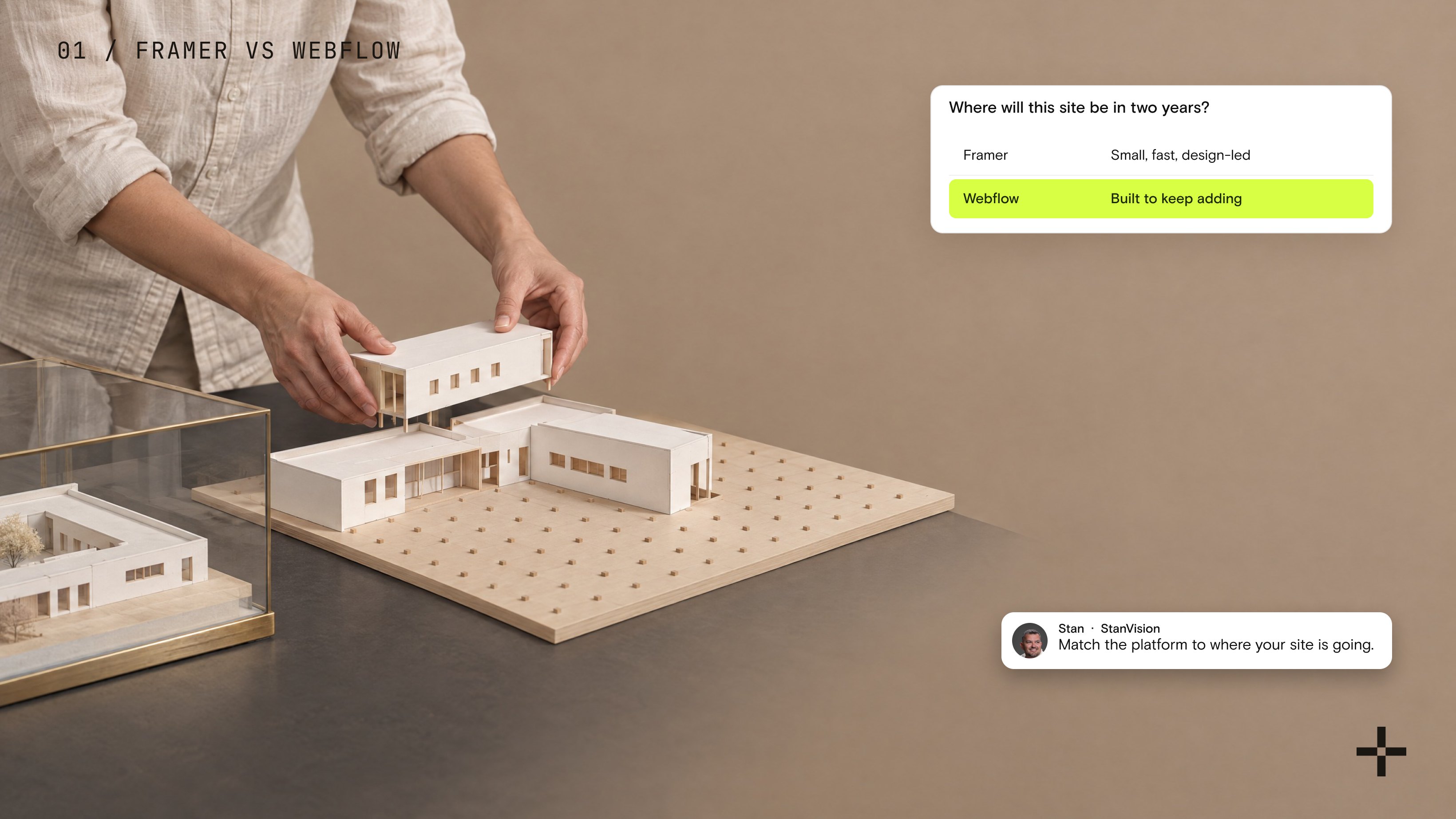
- Framer is built for small, fast, design-led sites. Webflow is built for sites that keep adding pages, content types, and editors.
- Framer's Basic plan caps at 30 pages and 2 CMS collections. Pro starts at 150 pages and 10 collections, and paid add-ons stretch it to 700 pages and 40 collections.
- Webflow's Premium plan includes 20,000 CMS items and 40 collections for $25 a month billed yearly. Matching that on Framer means paying for add-ons on top of Pro.
- There's no automated way to move a Framer site to Webflow. Choosing for where the site will be in two years saves a rebuild later.
Short answer: Framer is built for smaller, quick sites. It copies Figma's interface, so it's easy and fast to use, especially for designers. Webflow is built for complex, large systems: sites with many pages, many content types, and a marketing team that keeps shipping.
You can build a small site on either one. The problem starts when a small site starts growing. On Framer, that move is much harder.
When people ask me to compare Webflow vs Framer, they usually want the pros and cons of each laid out honestly so they can make an informed decision. That's what we give them. We even keep a comparison presentation for exactly this conversation.
Once, a client asked for something else entirely: to move his site off Webflow and onto Framer.
That client was the exception. In all my years doing this, he's the only one who pushed hard for Framer. His investors had told him Framer was better than Webflow. He hadn't noticed any problem with his site himself, and there was no real argument behind the request. We tried to explain the trade-offs with actual reasons, but he'd already decided.
So we did it. We moved the entire site from Webflow to Framer.
How did it go?
It was hard. A lot of things that exist in Webflow still don't exist in Framer, so we had to write extra code and build extra pieces just to get back to what the site already had. It took us much longer than the same site would have taken in Webflow.
What that project taught me: the platform you pick should match where your site is going, not who recommended it.
So the seven questions below are mostly about the future of your site, not the version you launch.
1. How big will this site be in two years?
This is the question I'd ask first, because it decides most of the others.
A website isn't finished at launch. The more a company grows, the more it keeps adding: new pages, new sections, new content types. I wrote about this in how enterprise teams should choose a CMS, and it applies to any company that's growing, not only enterprises.
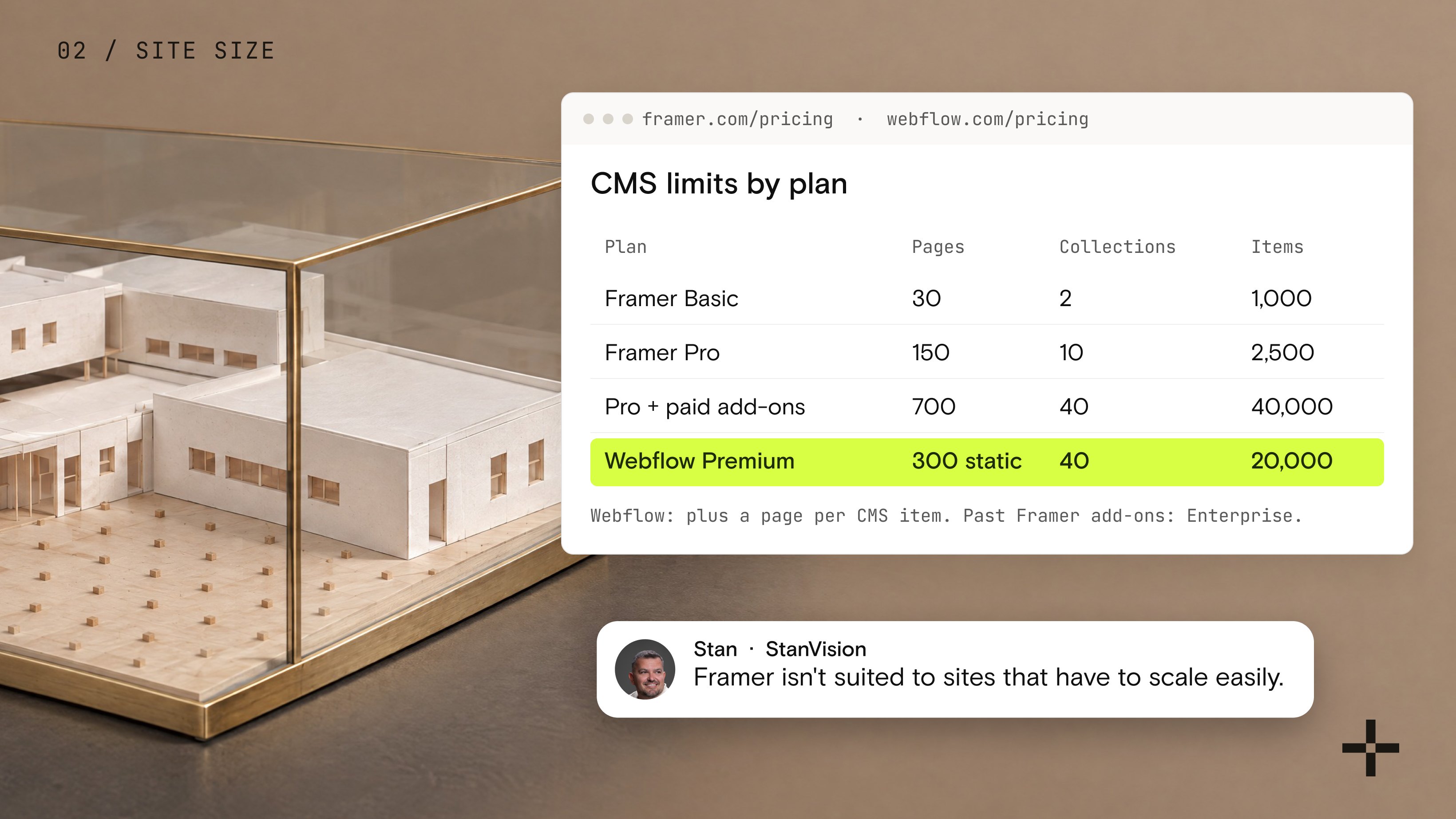
Framer's plan limits show where it's comfortable. The Basic plan allows 30 pages, 2 CMS collections, and 1,000 CMS items. Pro starts at 150 pages, 10 collections, and 2,500 items. With paid add-ons, Pro can reach 700 pages, 40 collections, and 40,000 items. Past that, you're on Enterprise with custom limits.
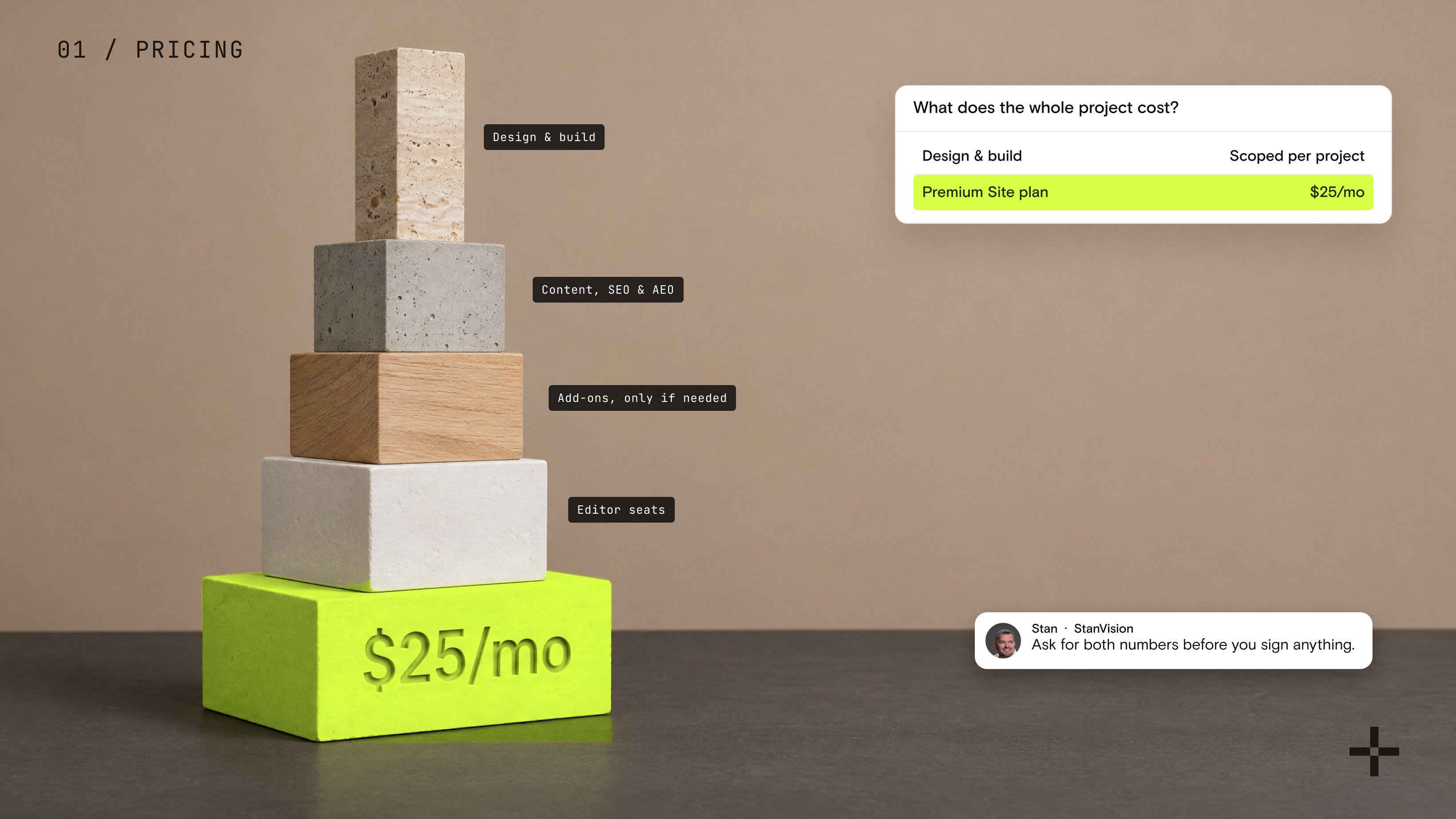
Webflow's Premium plan includes 20,000 CMS items and 40 collections for $25 a month billed yearly, with no add-ons needed to get there.
| Plan | Site pages | CMS collections | CMS items |
|---|---|---|---|
| Framer Basic | 30 | 2 | 1,000 |
| Framer Pro | 150 | 10 | 2,500 |
| Framer Pro with paid add-ons | Up to 700 | Up to 40 | Up to 40,000 |
| Webflow Premium | 300 static, plus a page per CMS item | 40 | 20,000 |
To be fair to Framer, those ceilings are higher than they used to be. But the numbers match my experience: Framer isn't suited to large website infrastructures that need many pages and have to scale easily.
2. Who will edit the site after launch?
This is where Framer earns its reputation. It was built to mimic Figma, and it shows. It's easy and fast to use, especially if you already design in Figma.
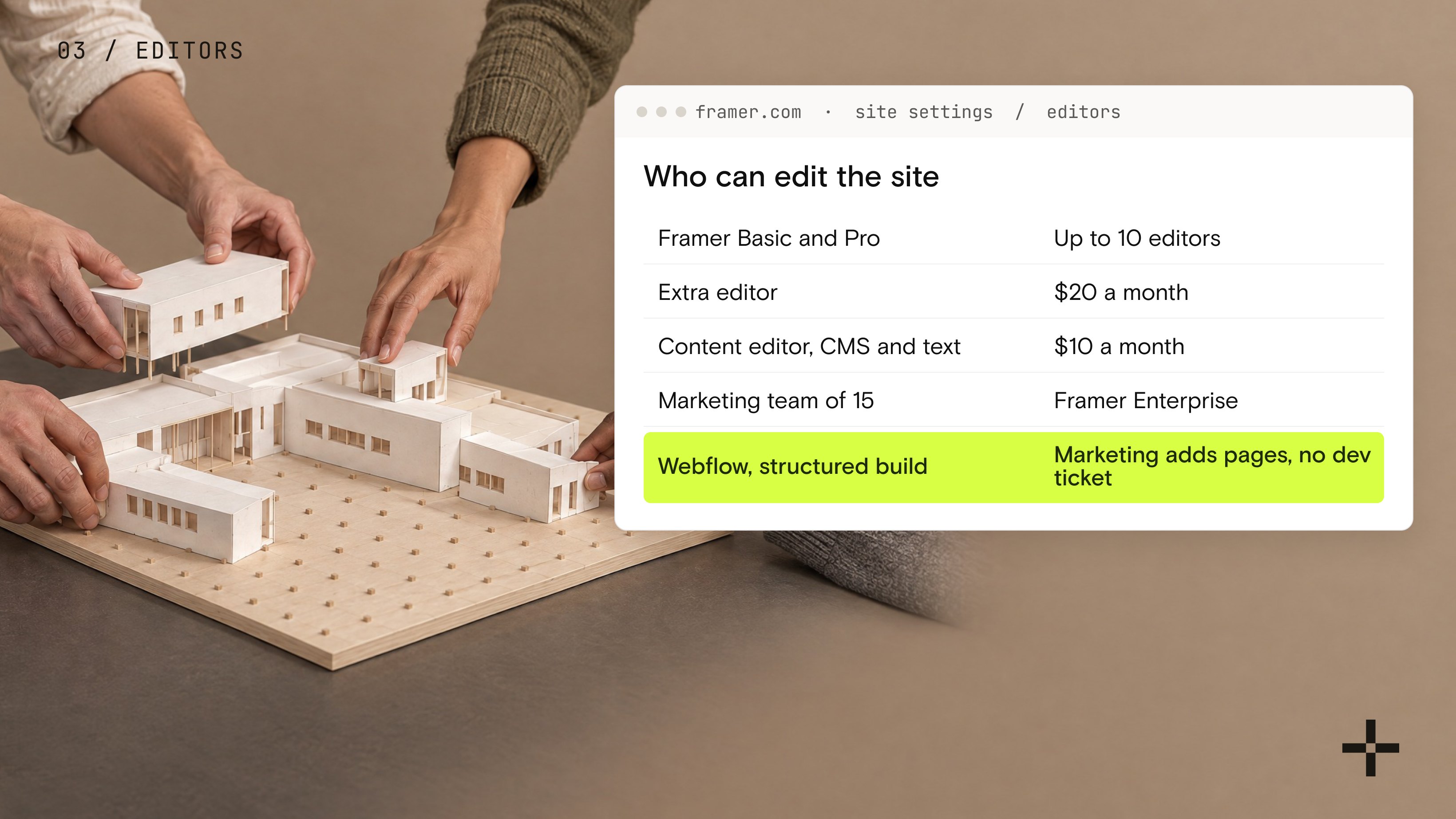
Webflow asks more of you up front, because it's built around how websites are structured underneath: classes, components, and CMS templates. That learning curve might look intimidating, but it pays off once more people touch the site. A properly structured build lets a marketing team add pages without breaking the design or filing a developer ticket.
Team size matters too. On Framer's Basic and Pro plans, a site can have at most 10 people with edit access. Extra editors cost $20 a month each, or $10 for content editors who only update the CMS and on-page text. Unlimited editors come with Enterprise.
If one designer owns the site, Framer's model works well. If a marketing team of 15 needs access, you're already talking to Framer's sales team.
3. How much structure does your content need?
Pages are easy to count. Content types are where sites really grow.
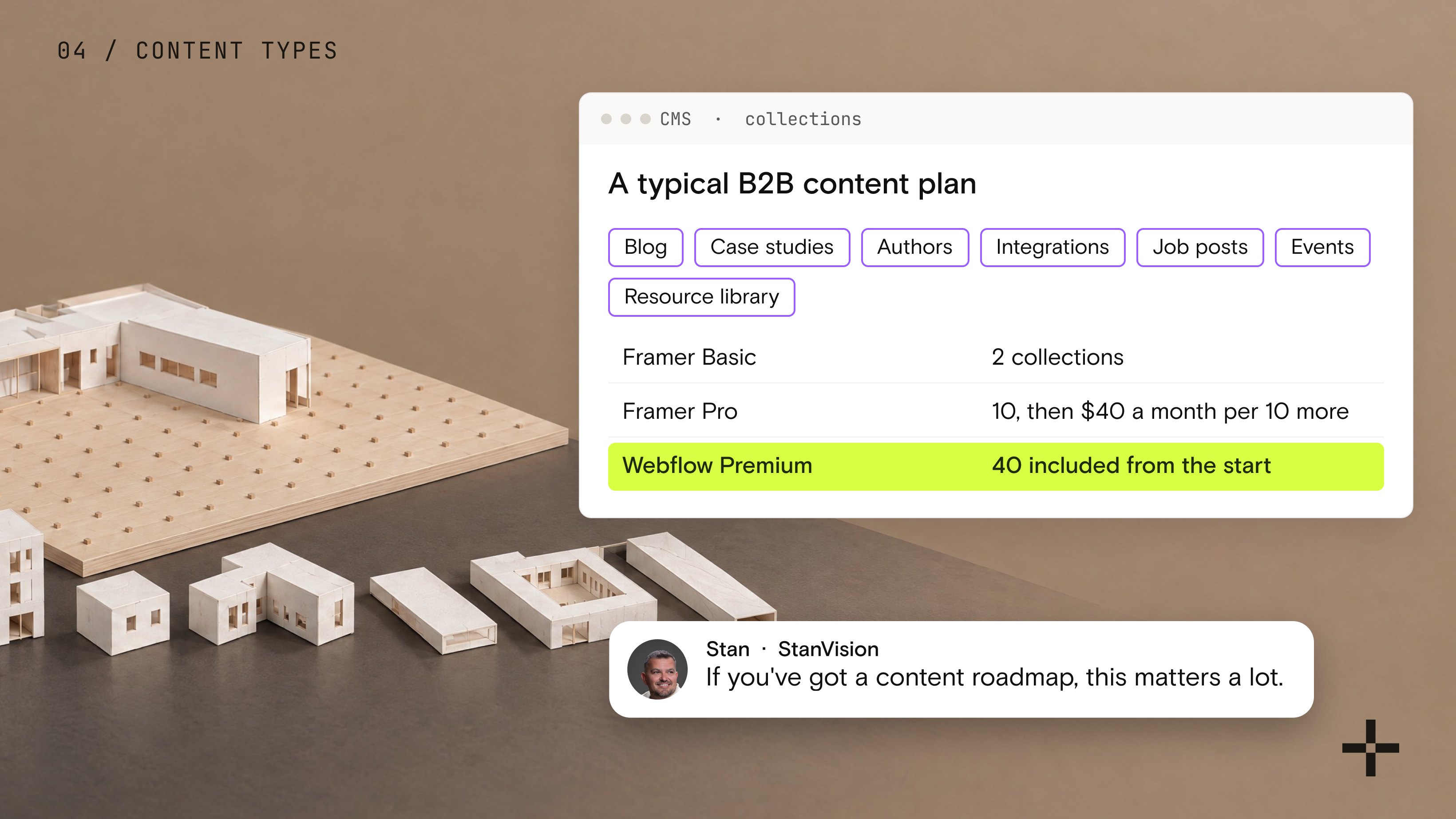
A typical B2B site starts with a blog. Then come case studies, authors, integrations, job posts, events, and a resource library. Each one is its own CMS collection, and most of them reference each other.
Both platforms support collections that reference each other. The difference is the room you get. Framer Basic stops at 2 collections, which covers a blog and not much else. Framer Pro gives you 10, then charges $40 a month for every 10 more, up to 40. Webflow Premium includes all 40 from the start.
If your content plan fits in two or three collections and always will, this question barely matters. But if you've got a content roadmap? Then it matters a lot.
4. What does the site need to do besides look good?
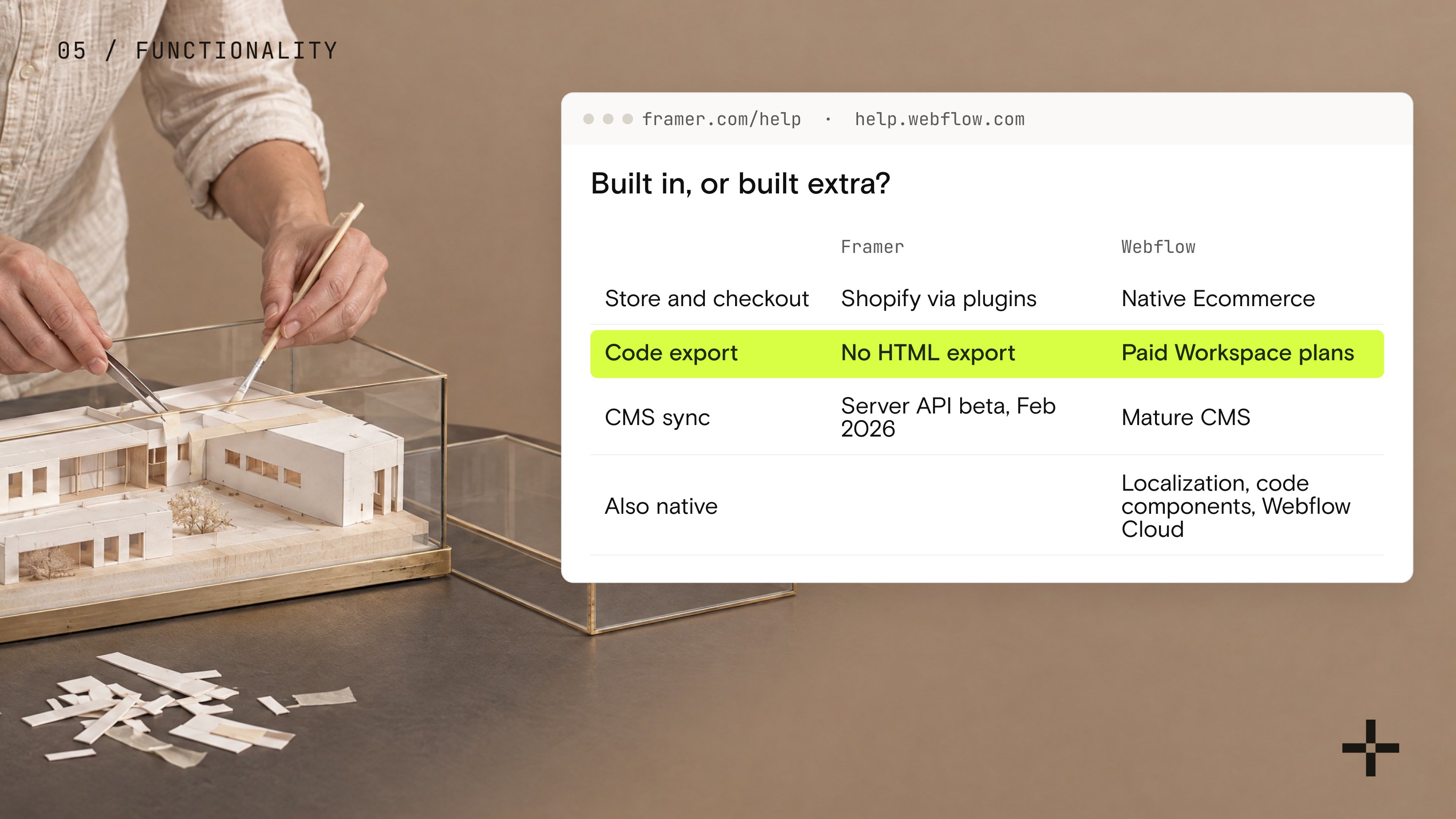
This is the question my one Framer build answered for me. We had to rebuild everything that site already had in Webflow, and a lot of it needed extra code because Framer didn't have it natively. Framer is easy and fast; I'll give it that. But it doesn't have much functionality of its own.
Two of the gaps are easy to check on Framer's own pages. First, there's no built-in store. Selling on a Framer site runs through third-party plugins from its marketplace, which connect to Shopify for products and checkout. Webflow has native Ecommerce plans with the cart and checkout built in.
Second, there's no code export. Framer's help center confirms that published sites can't be exported as HTML for self-hosting, so the site lives on Framer's hosting for as long as it exists. On paid Workspace plans, Webflow lets you export your HTML, CSS, JavaScript, and assets. CMS and ecommerce content don't come with the export, but the design does.
Framer is working on its gaps, though. In February 2026, it opened a Server API beta, which lets developers sync CMS content from tools like Notion or Airtable and publish without opening Framer at all. Credit where it's due: that's real progress.
Webflow is a much more complex system. It has far more functionality, and it's built for what modern websites actually need: a mature CMS, native localization, an app marketplace for integrations, code components, and Webflow Cloud for running connected apps next to the site.
The more your site has to do, the more that gap shows up in build time.
Not sure which platform your site needs?
Tell us what the site has to do in two years. We'll help you choose before you build.
Compare my options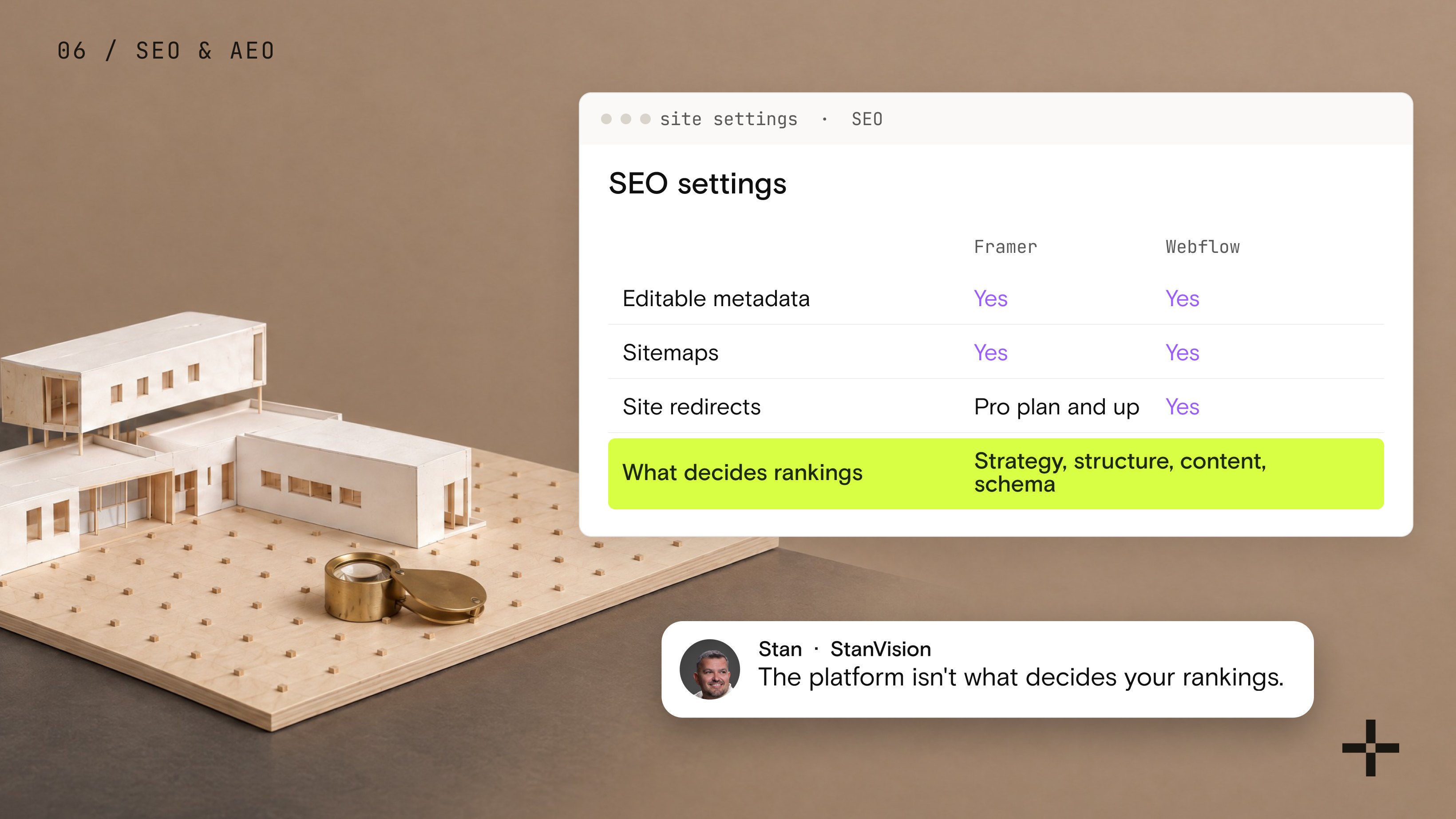
5. How much do SEO and AEO matter to your growth?
Both platforms handle the technical basics: editable metadata, sitemaps, and fast hosting. One difference worth knowing is that on Framer, site redirects start on the Pro plan. The Basic tier doesn't include them.
Beyond that, the platform isn't what decides your rankings. Keyword strategy, site structure, content, and schema do. So does how carefully you move a site when you change platforms, which is where traffic actually gets lost. I went through that in detail in Is Webflow good for SEO and AEO?
AEO works the same way. Answer engines cite content that is specific, attributable, and easy to extract. That comes from how you write and structure your pages, not from which builder published them.
6. What will it cost once the site grows?
At the start, Framer is cheaper. Its Basic plan costs $10 a month billed yearly and includes 2 CMS collections. Webflow's Basic tier costs $15 and has no CMS at all, so a small site with a blog needs Webflow Premium at $25. For a small site, that's a real saving.
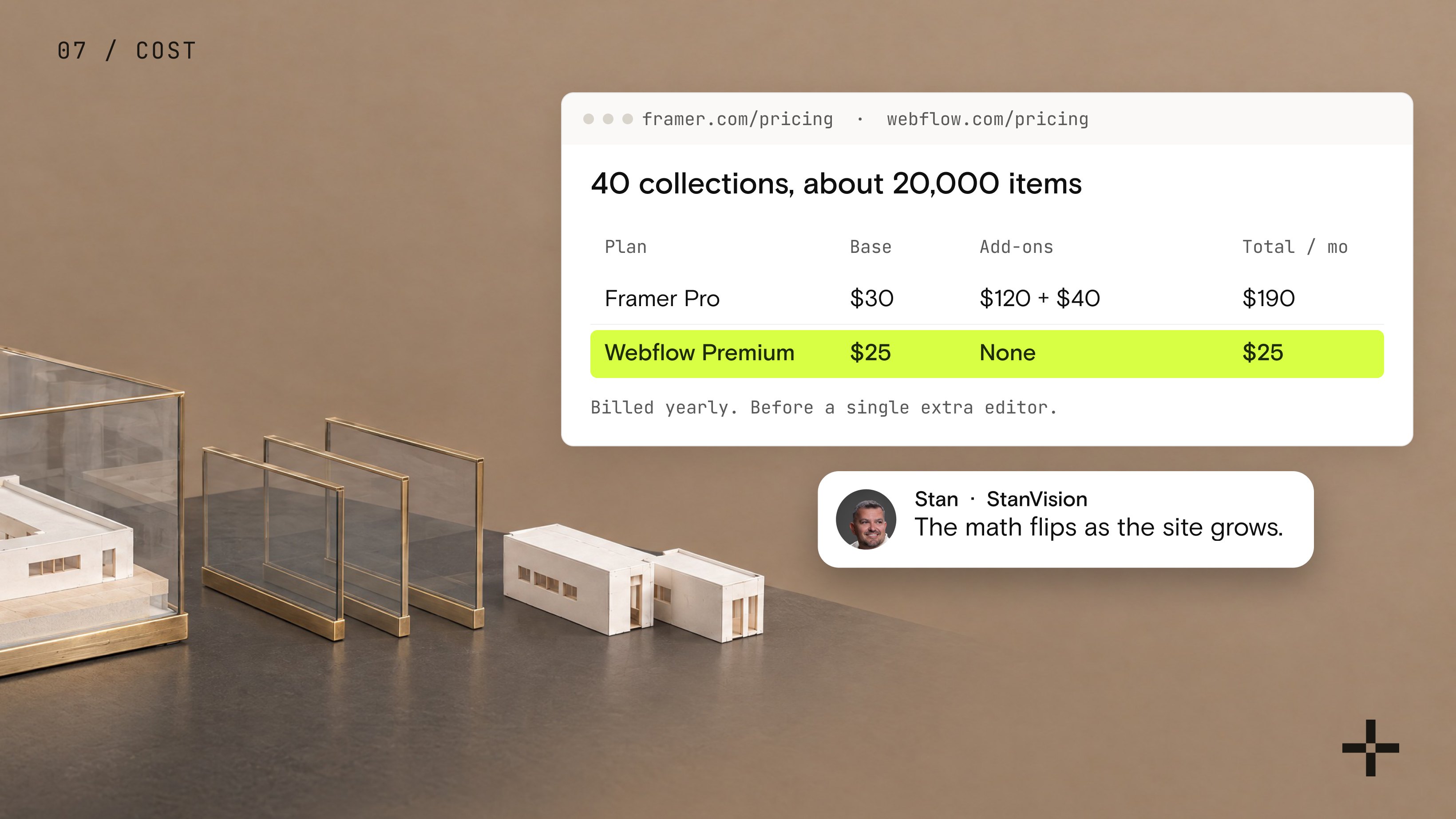
The math flips as the site grows. Framer Pro costs $30 a month billed yearly, with 10 collections and 2,500 CMS items. To reach what Webflow Premium includes for $25, which is 40 collections and 20,000 items, you'd add three collection add-ons at $40 each and two item add-ons at $20 each. That's about $190 a month, before a single extra editor.
| Plan | Base plan | Add-ons | Total per month | CMS collections | CMS items |
|---|---|---|---|---|---|
| Framer Pro | $30 | $120 for collections, $40 for items | $190 | 40 | 22,500 |
| Webflow Premium | $25 | None | $25 | 40 | 20,000 |
Framer does include more bandwidth on Pro: 100 GB, against 50 GB on Webflow Premium. Most B2B marketing sites never get close to either number.
For the full plan-by-plan breakdown, see what a real Webflow site costs.
7. Who is really choosing the platform?
Remember the investors from the top? The only Framer site I've built exists because they had an opinion.
That's rare, though. Most people who ask me about Framer and Webflow come in with no preference at all. They want the pros and cons of both, compared realistically, so they can decide for themselves.
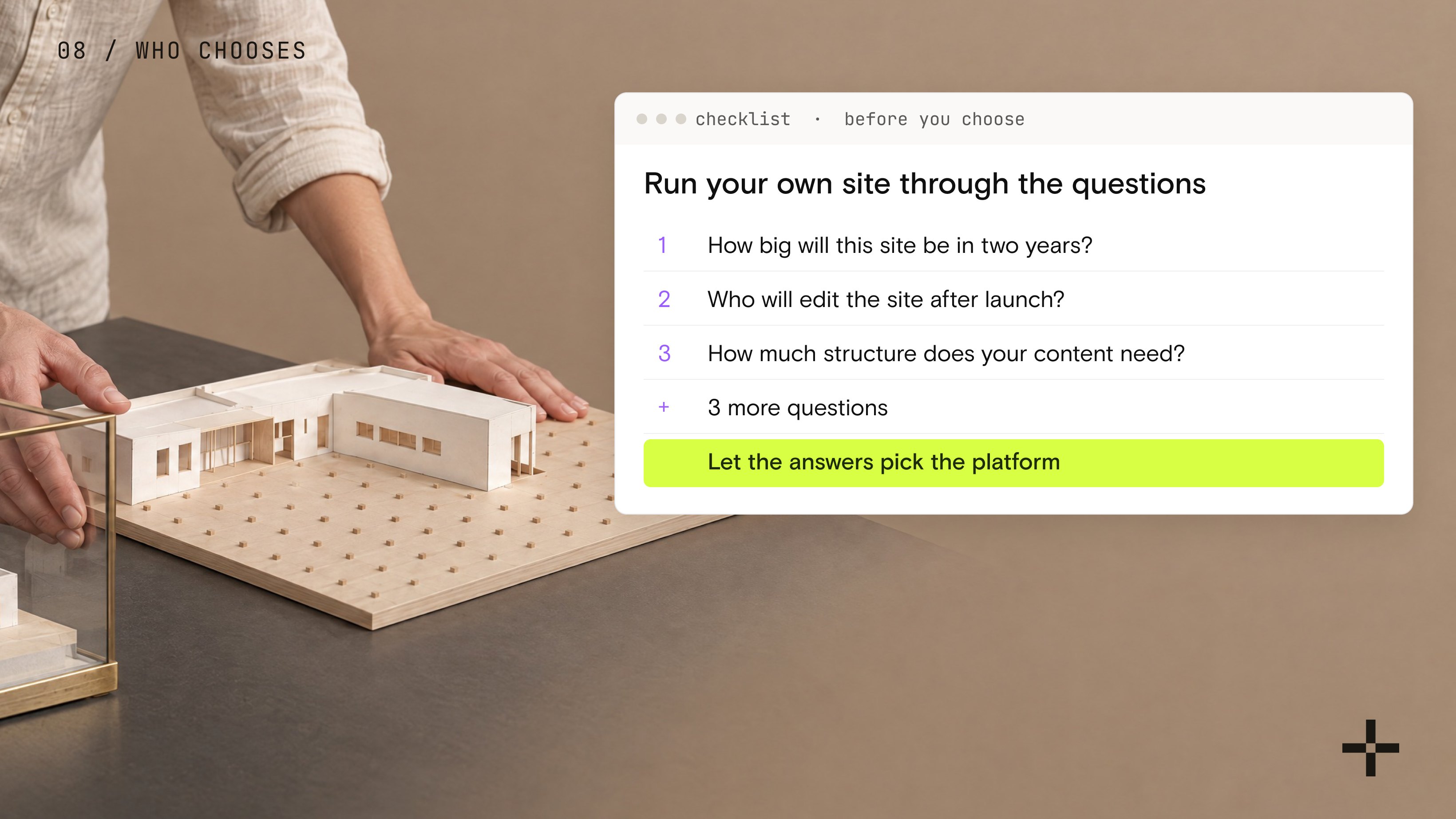
My advice: don't take anyone's favorite on faith. Run your own site through the six questions above, and let the answers pick the platform.
Weighing more than these two platforms? See the 9 CMS platforms worth considering in 2026 before you narrow the list.
When Framer is the right call
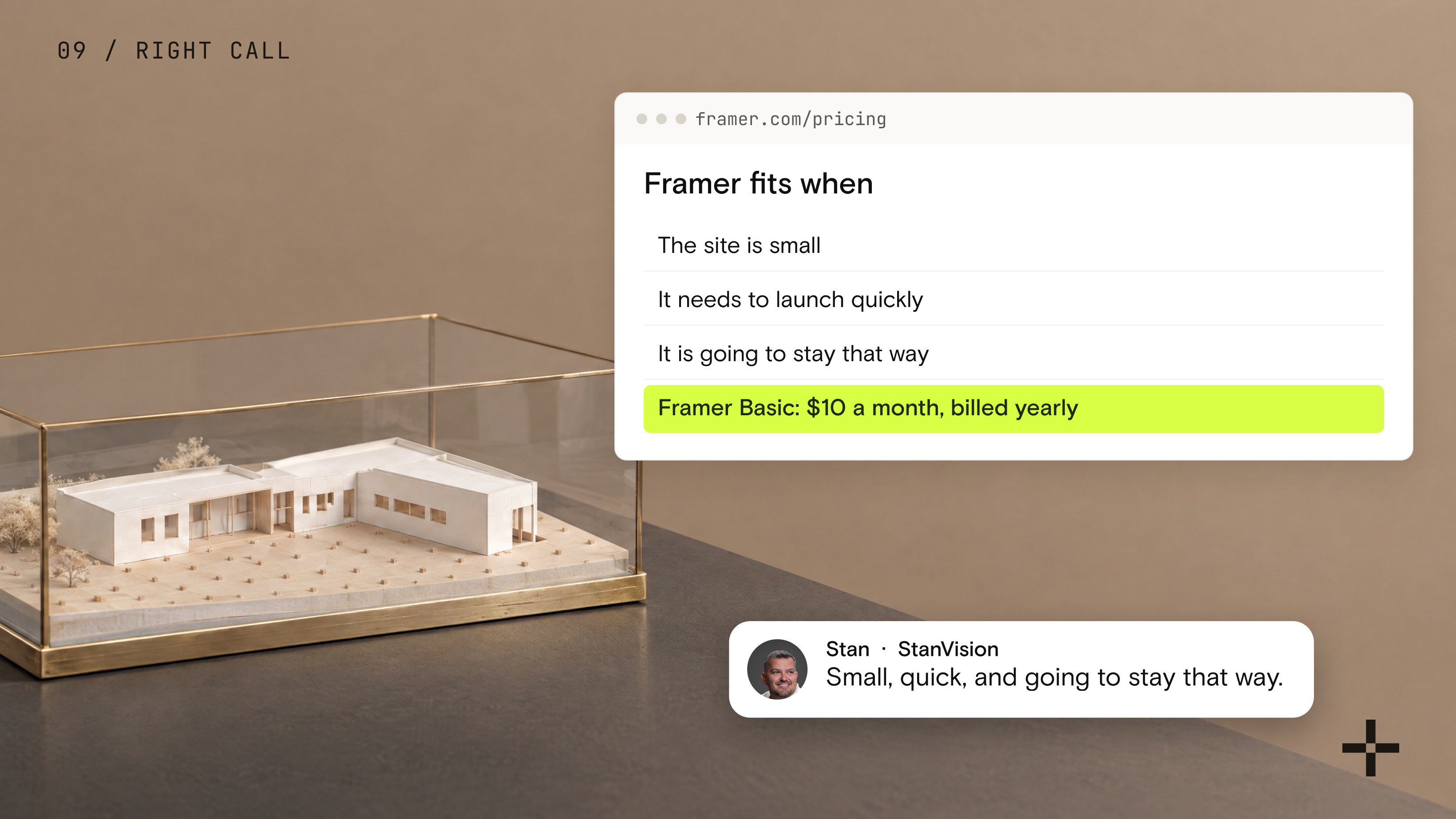
Framer is the right call when the site is small, quick, and going to stay that way. That's what it's built for. It's easy and fast to use, and at the entry level it costs less than Webflow.
The trouble starts when a small site decides to grow.
Already on Framer and outgrowing it?
Moving sites into Webflow is the core of what we do as a Webflow Premium Partner, and Framer sites are part of that work.
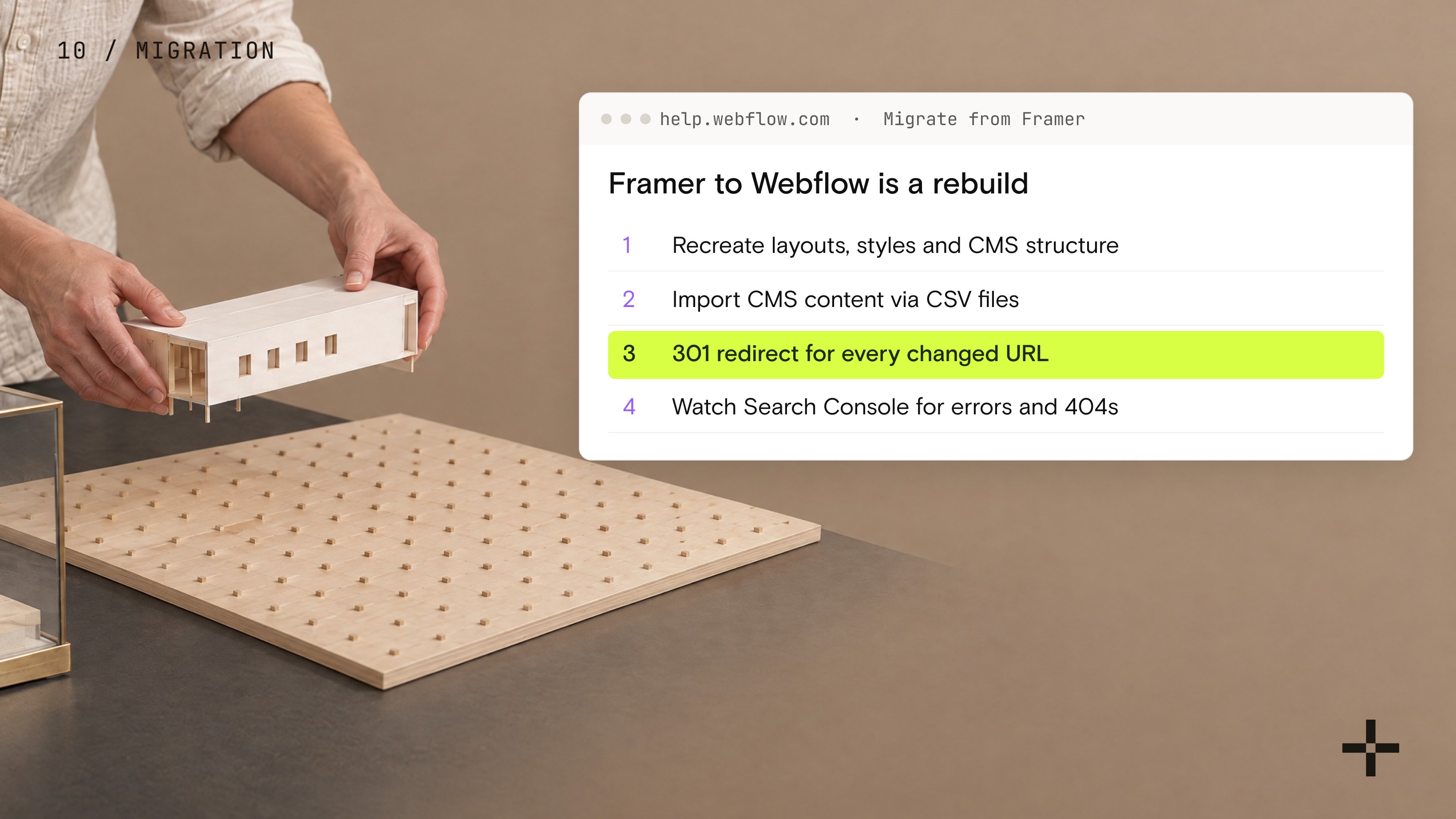
There's no automated way to convert a Framer site into a Webflow site. Webflow's own migration guide treats it as a rebuild. You recreate the page layouts, styles, and CMS structure, import CMS content via CSV files, and add 301 redirects for every changed URL before switching domains. After launch, you watch Google Search Console for indexing errors and 404s.
If it's done carefully, visitors and Google barely notice the move. Rushing it is the fastest way to lose rankings you spent years building. That URL mapping and redirect work is the core of a Webflow migration project, and it gets harder the longer you wait.
Framer vs Webflow: the verdict
Framer and Webflow are both good tools, built for different jobs.
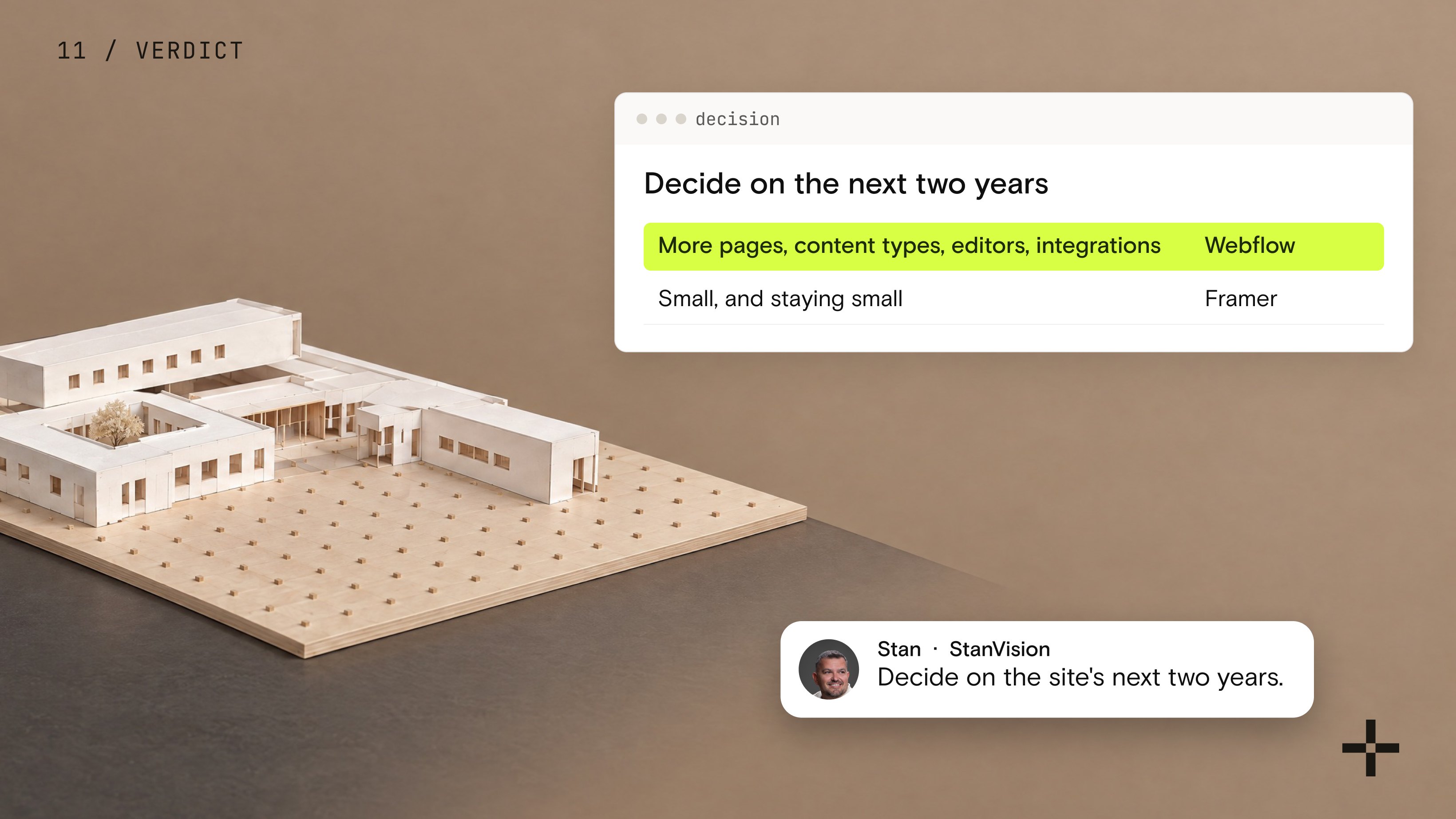
If your answers to the seven questions point toward growth, with more pages, content types, editors, and integrations, Webflow is the better foundation, and that's the kind of site our Webflow development team builds. If they point toward a small site that will stay small, that's what Framer is built for.
Either way, decide on the site's next two years, not on who recommended what.
Planning a site that needs to grow?
Tell us what you're building. We'll show you how it scales in Webflow.
Start a projectFrequently asked questions
Is Framer better than Webflow?
For small, design-led sites that will stay small, Framer is a good choice. It's fast to build in and cheaper at the entry level. For sites that need to grow in pages, content types, and team size, Webflow is the stronger platform. The deciding question is how big the site will be in two years, not how it looks at launch.
Is Framer easier than Webflow?
For designers, usually yes. Framer's interface works a lot like Figma, so someone who designs in Figma can build and publish quickly. Webflow has a steeper learning curve because it is built around how websites are structured underneath, and that structure is what makes large sites easier to manage later.
Is Webflow or Framer better for SEO?
Both platforms cover the technical basics, such as editable metadata, sitemaps, and fast hosting. On Framer, site redirects require the Pro plan. In practice, rankings depend more on keyword strategy, site structure, content, and how carefully a migration is handled than on the platform itself.
How do you migrate a website from Framer to Webflow?
There is no automated converter, so a Framer to Webflow migration is a rebuild. You recreate the pages, styles, and CMS structure in Webflow, import CMS content with CSV files, and add 301 redirects from every old URL to its new one before the domain switch. After launch, monitor Google Search Console for indexing errors and 404s.

Stan Kirilov
Stan has led design for over 20 years, first as a hands-on designer, now as Experience Director at StanVision. He works with SaaS and fintech companies, from first-time founders to global brands, on products and websites built to convert, not just to look good.
He serves on the Awwwards jury and still reviews every project that ships. His standard is simple: if a design doesn't perform, it isn't finished.

.svg)