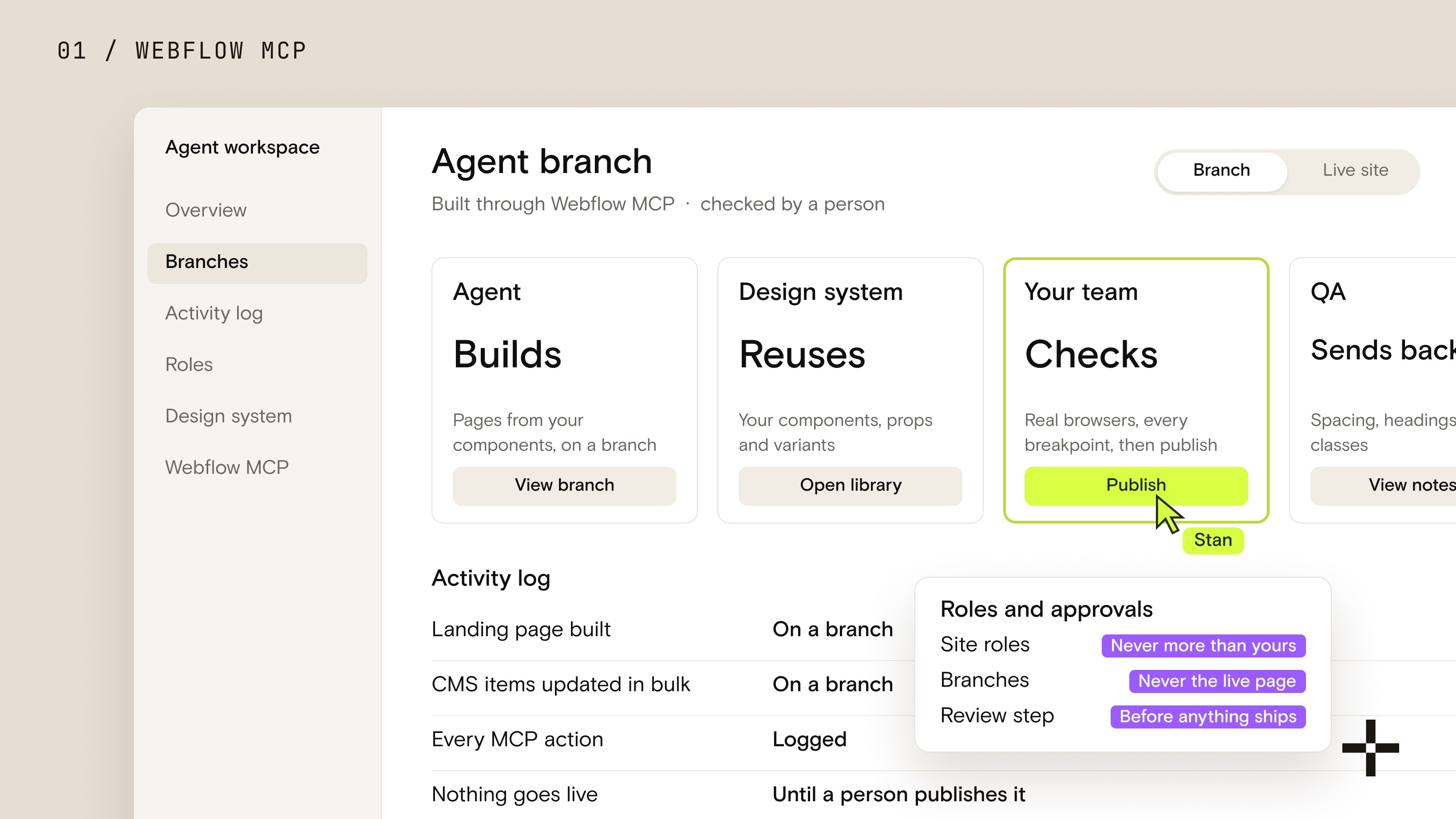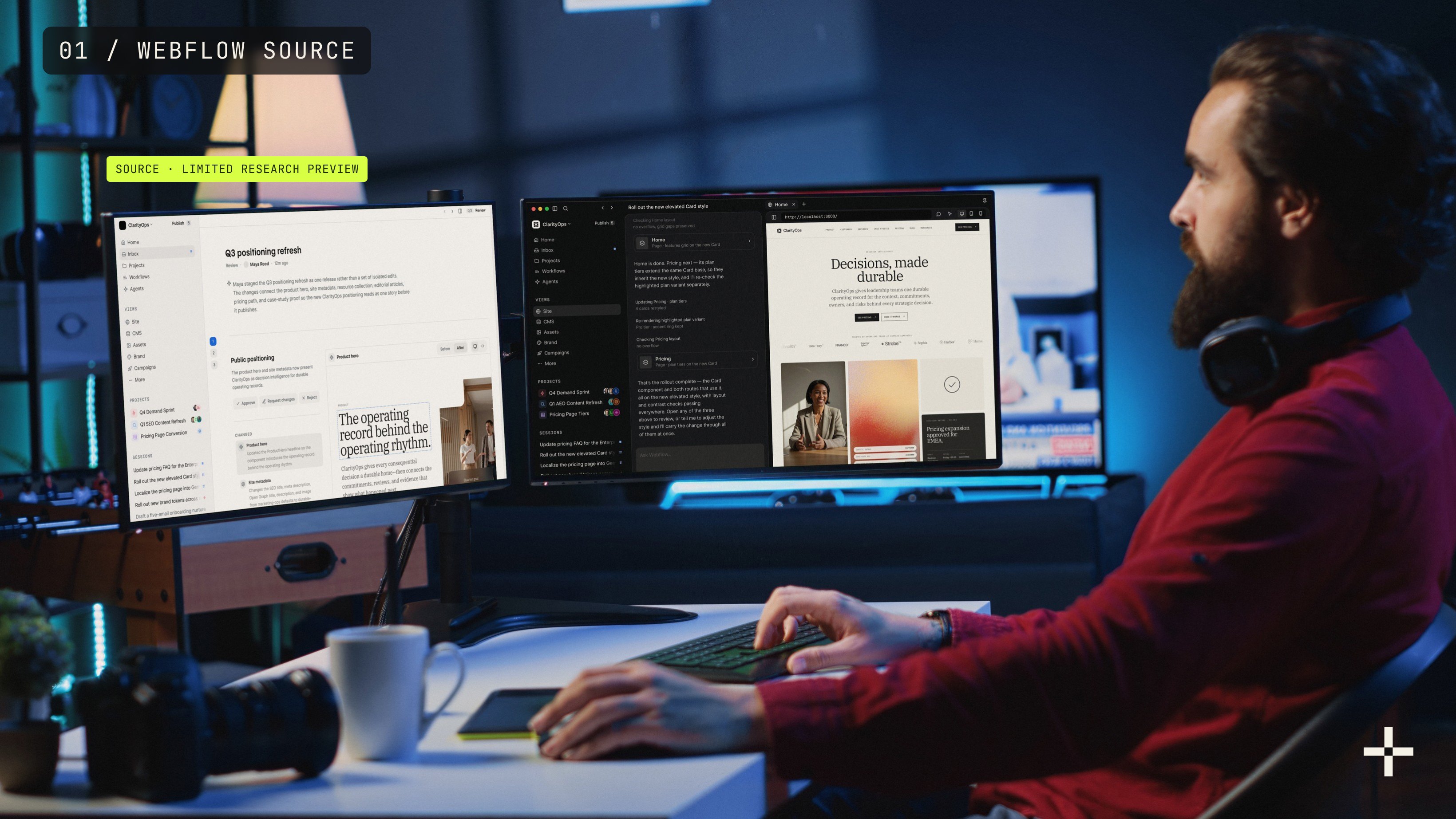
I get asked about WordPress alternatives constantly these days, usually right after a plugin update breaks something at 2am.
And we've actually lived that exact problem: stan.vision itself ran on WordPress once back in the day, until a design-to-dev handoff kept losing fidelity between the mockup and the live site.
A font would render slightly off. Spacing would shift just enough to notice. Nothing a screenshot ever caught, but everything a live page made obvious.
So the migration was absolutely needed.
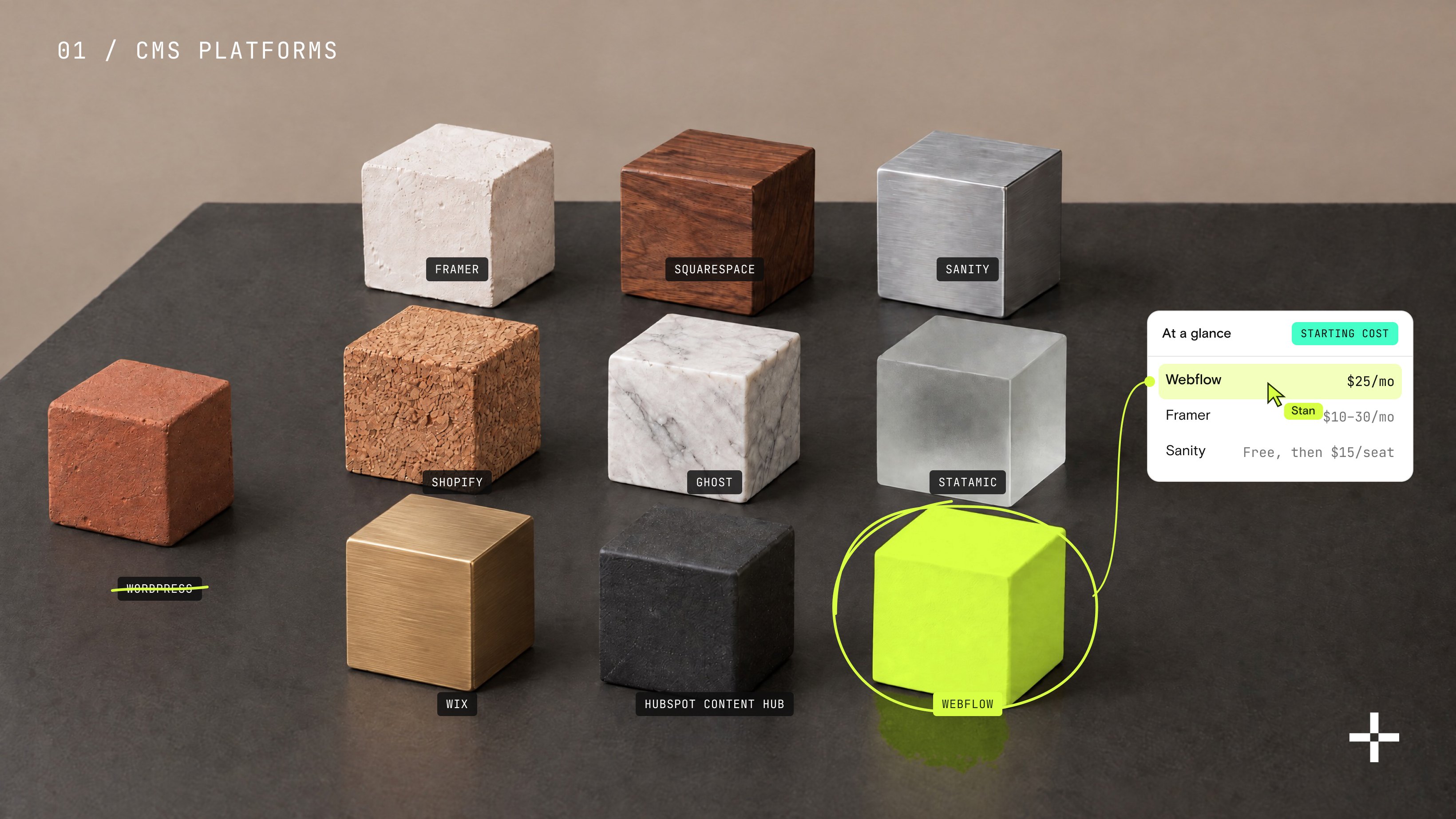
Our designers build directly in Webflow now, and developers step in only for the genuinely heavy lifting. So this post is my fit-first framework covering nine CMS platforms, each built for a different kind of team, plus the cases where staying on WordPress is still the right call.
Nine platforms, one at a time.
Is WordPress still relevant in 2026?
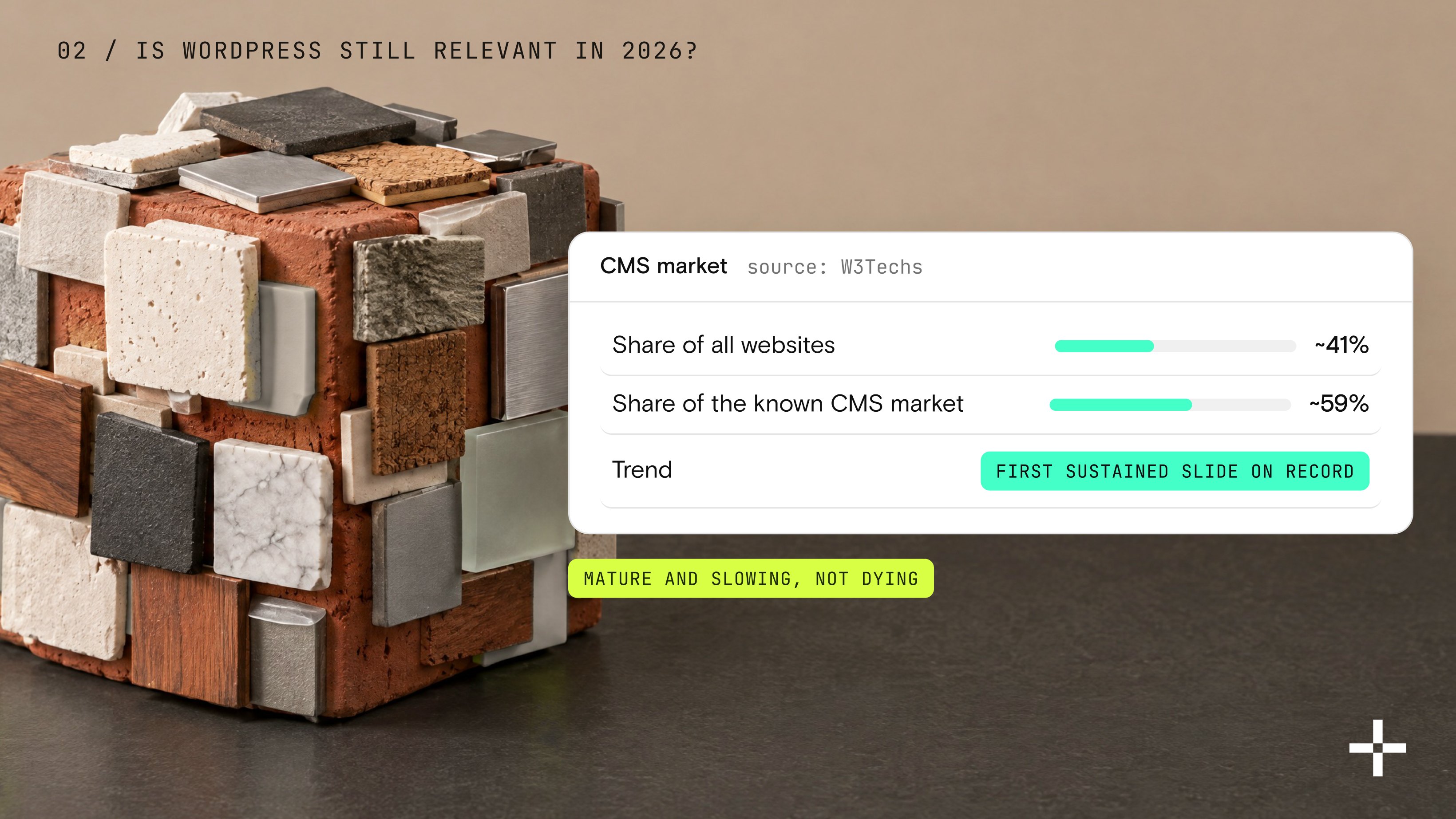
Yes, and it's not close. WordPress still powers roughly 40% of all websites and close to 59% of the known CMS market. But its growth story changed this year.
Its share has been sliding for months now, according to W3Techs' live tracker, the first sustained slide it has ever recorded for the platform.
A few numbers to know:
- WordPress today: 40.2% of all websites and 58.7% of the known CMS market, as of October 2026
- Twelve months earlier: 60.7% of the CMS market in October 2025, so the slide is about two points in a year
But that's a "mature and slowing" story, not a "dying" one. WordPress's installed base is so massive that even a real decline still leaves hundreds of millions of live sites running on it.
So the drop tracks with faster growth from SaaS-style builders and design-first platforms, not a mass exodus off WordPress itself.
The interesting question was never whether WordPress is still relevant, but whether it's still the right first move for your specific team, and that's a genuinely different question.
My take: WordPress isn't shrinking because it stopped working, no. It's shrinking because more teams now have a real alternative built for exactly what they need, rather than one tool trying to be everything to everyone.
Which brings us to the actual question worth asking: why are people leaving in the first place?

Why are companies choosing WordPress alternatives instead?
Companies choose WordPress alternatives to trade do-it-yourself platform management for an all-in-one model.
Or, as I tend to put it to clients: WordPress is DIY (do it yourself). Webflow is AIO (all in one).
On WordPress, you (or someone on payroll) own the plugins, the hosting, and the security patching. On Webflow, that layer is simply handled, so your team's time goes toward content and growth instead of babysitting an admin panel.
So the real question underneath all of this is who does the maintenance work.
Here's what "owning it yourself" actually involves on a typical WordPress build:
- Plugin updates, constantly, because each one is its own small piece of software
- Hosting decisions, including the performance trade-offs that come with cheaper plans
- Security patching, because every plugin and theme brings its own vulnerabilities to track
- Conflict troubleshooting, when two plugins that worked fine yesterday suddenly don't
And almost all of those vulnerabilities trace back to plugins and themes rather than WordPress core. Of the 11,334 WordPress vulnerabilities Patchstack logged for 2025, 91% came from plugins, 9% from themes, and six from core itself. Core gets patched fast and centrally. But nobody centrally patches your fourteenth plugin.
So every plugin you add to "just get one more feature" is one more thing somebody has to maintain, forever.
Sure, in theory, a disciplined team can run a lean WordPress install and never touch most of that risk. But that's rare in practice. Feature creep is basically the default state of a growing website.
Not every problem is WordPress
Plenty of what gets blamed on the platform is a workflow problem wearing a platform costume.
We had a client convinced their site was a WordPress issue when the real culprit was their own page structure. WordPress lets you create a page at any URL, in any directory, with zero guardrails, and they had ended up with hundreds of pages scattered across directories with no logic connecting any of them. That is an unmanaged workflow, not a platform failure, and migrating only fixes it if the new structure gets planned rather than copied over as-is.
Which platforms offer more custom UX than WordPress?
Webflow and Framer offer more native custom UX than a typical WordPress build, mostly because design happens in a visual canvas that outputs clean code directly.
Our designers now build directly in Webflow, and developers step in only for the heavier lifting like WebGL or Three.js, precisely because handing a finished design to a separate developer used to mean losing fidelity somewhere between the file and the shipped site.
And now it doesn't, because the design is the build.
But that shift isn't just an internal preference, either.
Webflow holds roughly 1.2% of the CMS market overall (a small slice of the overall web), but it's concentrated almost entirely among companies that treat design quality as a genuine differentiator rather than decoration, including named enterprise users like Dropbox, Lattice, and Upwork.
Yet design freedom is only half the picture. The other half is whether AI search engines can actually find and cite what you build, which is where things get more interesting.

How do WordPress alternatives handle SEO and AEO?
Modern platforms handle SEO and Answer Engine Optimization (AEO) by shipping clean semantic HTML and schema support by default.
Which simply said means no plugin stack bolted on after the fact required.
SEO ranks you, AEO cites you
The two overlap constantly, and they are still not the same job.
SEO gets you ranked. AEO gets you cited, meaning your content shows up as the actual answer inside a chat response instead of a blue link someone has to click through to. One is about winning a position on a results page. The other is about being the sentence an answer engine repeats. A site can do the first well and the second badly, and most do.
In 2026, Webflow added native JSON-LD embed support for FAQ and Article schema, so structured data ships in the same build instead of a separate SEO project.
And that matters more than it used to.
An Ahrefs study of 15,000 queries surprised me when I dug into it: across ChatGPT, Gemini, Copilot, and Perplexity, only 12% of the URLs those assistants cite also rank in Google's top 10. Which is close enough to say plainly: AI engines are reading a genuinely different signal set than classic search rankings ever measured.
So structure now counts for more than backlinks alone.
Headless platforms like Sanity push this further still, letting engineering teams model content as structured data at the API level, so the same fields feed a website, an app, and whatever AI-indexed channel shows up next, without anyone rewriting a thing.
None of which makes WordPress unable to compete, to be clear.
A well-maintained WordPress site with a solid schema plugin and a clean theme still holds its own on content depth. But the gap tends to open when plugin bloat or a bloated template is already dragging the site down before AEO even enters the conversation.
Okay, structure and search visibility, covered.
Now for the part most people actually came here for: which of these nine platforms is your platform.

Which WordPress alternative fits your team?
As you can probably guess, there's no single best WordPress alternative.
And "best" doesn't mean anything here. Because there's no platform that wins for every team, only the one that fits yours: your team's skills, budget, and what the site actually needs to do day to day.
Hype is not a selection criterion
Picking a platform because it's trending on X is how teams end up rebuilding twice inside eighteen months.
The second rebuild always costs more than the first, because by then there is real content, real rankings, and real internal habit to move with it. Match the tool to the job the site has to do day to day, not to whatever launched last month. The hype cycle does not pay for your migration.
First let's have a look at all of them at a glance, priced on annual billing wherever the platform offers it:
| Platform | Starting cost | Technical skill needed | Where it falls short |
|---|---|---|---|
| Framer | $10 to $30 a month, Basic to Pro | Designer, no code | Thin once content needs grow |
| Webflow | $25 a month on Premium, the entry plan with a full CMS | Designer-friendly, light learning curve | One custom code editor at a time |
| Squarespace | $19 to $99 a month across plans | None, guided setup | No full-site backup or version restore |
| HubSpot Content Hub | $450 a month on Professional | Marketing-friendly, no dev | No native ecommerce |
| Shopify | $29 a month annually, $39 month to month | None to launch and sell | Weak native blogging tools |
| Ghost | $18 to $29 a month, Starter to Publisher | Some technical comfort | No plugin system at all |
| Wix | $17 to $29 a month, Light to Core | None | Limited ceiling, hard to migrate off |
| Sanity | Free tier, then $15 per seat a month | Developer required | Overwhelming for non-technical editors |
| Statamic | $349 per site once, then $99 a year | Laravel developer | Small ecosystem, flat-file ceiling |
And now let's break them down one by one.
Best for startups and landing pages
Framer is the quicker path to a design-polished launch page with no developer involved, running $10 a month on Basic and $30 on Pro, billed annually.
Move to Webflow once you know the site needs a blog, case studies, or a resource center within the next few months, since rebuilding a Framer site into a full content hub later costs more time than just starting there.
Here is how the two compare on the things that actually decide it:
| Platform | Time to launch | Monthly cost | Who can build it | Best fit |
|---|---|---|---|---|
| WordPress | Weeks to months, with hosting, theme and plugin setup | Often $50 to $150+ including hosting, plugins and dev time | Usually a developer or a skilled page-builder user | Content-heavy sites planning to scale later |
| Framer | Days, since design and publishing happen together | $10 to $30, all inclusive | A designer alone, no code | A fast, polished launch page with light content |
Best for tech and product-led companies
Webflow pairs real CMS structure with real design control, which is exactly why it powers marketing sites for Dropbox, Lattice, and Upwork.
For a SaaS or other product-led team, that means shipping a new landing page or case study without a developer ticket standing between the idea and the live page.
Where the two separate is the day-to-day work:
| Platform | Shipping new pages | Content scale | Mobile Core Web Vitals | Multiple engineers on one site | Best fit |
|---|---|---|---|---|---|
| WordPress | Usually needs an engineering ticket | Scales well, needs a headless setup to go API-first | 49% pass rate, last of the platforms measured | Native version control, standard git workflows | Teams with engineering running headless or deep integrations |
| Webflow | Marketing ships and iterates directly | 20,000 CMS items and 40 collections on Premium | Clean output passes by default, no engineer needed | One custom code editor at a time, needs a coordination process | Product-led teams shipping weekly without an engineering queue |
We even have a much deeper dive comparing Webflow vs WordPress if you want to go further than this section alone. And I highly recommend checking it out.
Want a website your team can actually update?
We design and build in Webflow, so marketing ships pages, edits copy, and launches campaigns without a dev ticket.
Start a projectBest for brand and creative sites
Squarespace gets you a polished, cohesive look out of the box, no plugins to babysit, and no design system to build from scratch.
It won't give you Webflow's design ceiling.
But it also won't ask for Webflow's learning curve, which for a lot of small creative teams is the actual trade they're looking to make.
The comparison that matters for a brand site:
| Platform | Template quality | Time to launch | Ongoing maintenance | Backup and recovery | Best fit |
|---|---|---|---|---|---|
| WordPress | Varies widely, needs a trained eye | Days to weeks, more setup involved | Plugins and themes need regular attention | Automatic daily backups on paid hosting plans | Content-heavy sites needing deep customization later |
| Squarespace | Every template professionally designed | Often same-day, guided drag-and-drop editor | Updates and security handled automatically | No full-site backup, deleted pages recoverable for 30 days | Photographers, consultants and designers prioritizing polish |
Best for B2B marketing teams that want CRM alignment
HubSpot CMS (Content Hub) makes sense for B2B teams already living inside HubSpot, who want website behavior captured natively in the same CRM record instead of stitched together through a separate tracking plugin.
For B2B marketing teams that don't need CRM-native reporting but still want more design control than WordPress, Webflow is the better call.
Here are the costs worth knowing before you scope it:
| Platform | CRM and leads | Marketing team autonomy | Cost floor | Best fit |
|---|---|---|---|---|
| WordPress | Needs a plugin to sync properly | Often needs a developer for real changes | Free software, paid hosting and maintenance | Teams needing full code control or ecommerce |
| HubSpot Content Hub | Forms and personalization connect to the CRM natively | Built for marketing to run independently, no IT | $450 a month on Professional, billed annually | B2B teams on HubSpot needing CRM-native reporting |
Best for ecommerce
Here's where I'll be straight with you: even though we're a Webflow design agency, ecommerce is genuinely not Webflow's strong suit.
I actively tell our own ecommerce clients to move to or stay on Shopify. The app ecosystem alone, with over 16,000 apps covering inventory, shipping and checkout, makes the case for itself.
If a vendor never once tells you their platform is the wrong fit for something, that is worth noticing. Every platform has a real weak spot, and the honest ones name it before you find out the hard way.
On the mechanics of actually selling, the split is clear:
| Platform | Setup process | PCI compliance | App ecosystem | Content and SEO | Best fit |
|---|---|---|---|---|---|
| WordPress with WooCommerce | Needs hosting, WordPress and plugin setup | Self-managed through your host and gateway | Over 70,000 WordPress plugins | Stronger blogging engine and content control | Content-driven stores wanting full technical control |
| Shopify | Guided setup, live within hours | Built in and PCI compliant by default | Over 16,000 apps in the Shopify App Store | Solid basics, more rigid URL structure | Merchants wanting to sell without managing infrastructure |
Best for content-first publishers and newsletters
Ghost handles memberships and paid newsletters natively, so there is no need to stitch three plugins together to get there.
Ghost's Publisher plan runs $29 a month billed annually and takes 0% of subscription revenue beyond standard payment processing, which is very different economics than a percentage-based alternative eating into your margin as you grow.
For a publisher, these are the rows that decide it:
| Platform | Native newsletter sending | Paid memberships | Real monthly cost | Extending the platform | Best fit |
|---|---|---|---|---|---|
| WordPress | Needs a separate plugin or email tool | Needs a dedicated membership plugin installed | Roughly $120 to $220 once required plugins are added | Massive plugin ecosystem for nearly anything | Publishers needing ecommerce or complex multi-page sites |
| Ghost | Built in, no third-party tool needed | Built in, ready from the first post | $29 on Publisher, billed annually | No plugin system, fewer moving parts | Writers monetizing through subscriptions or memberships |
Best no-code alternative for non-technical teams
Wix is still the fastest route to a live, professional-looking site for a team with zero design or development background.
It won't win a design-flexibility fight against Webflow or Framer. That was never the job it was hired for, though, so it's a bit of an unfair fight to begin with.
What you trade, in both directions:
| Platform | Time to launch | Ongoing security | Customer support | Growth ceiling | Best fit |
|---|---|---|---|---|---|
| WordPress | Needs hosting, setup and technical steps | Self-managed, your responsibility to maintain | Community forums only, no official support | Built for long-term scale and complexity | Long-term growth, SEO and eventual complexity |
| Wix | Live in about an hour, no setup | Fully managed, handled automatically in the background | Live chat and phone support included | Simpler, and harder to migrate off later | A fast, simple site with zero setup |
Best for engineering-led, headless builds
Sanity has grown to over a million users across more than 6,000 teams, built around its own query language (GROQ) and content format (Portable Text), designed so the same content feeds a website, an app, and other channels through one API.
Quick reasons dev teams gravitate here:
- Content genuinely decoupled from presentation
- Real-time collaborative editing built in
Against WordPress, the difference is architectural rather than cosmetic:
| Platform | API design | Multi-channel delivery | Real-time collaboration | Finding developers | Best fit |
|---|---|---|---|---|---|
| WordPress | REST API bolted on, not built first | Still tied to one PHP-based backend | Not a native part of editing | Large talent pool, easy to hire | Teams wanting an easier hiring pool |
| Sanity | Built API-first with REST and GraphQL | Same content feeds web, app, anywhere | Built into Sanity Studio by default | Smaller pool, harder to find specialists | Product teams needing true omnichannel content |
Best for teams that want WordPress-like flexibility without WordPress's baggage
Statamic runs on Laravel and stores content as Markdown and YAML files that live in Git alongside your code, so deploying a content change can genuinely be a git push.
Its addon catalog is a few hundred packages, nowhere near WordPress's 70,000-plus. The ceiling tends to sit higher on average anyway, since every addon is a reviewed Composer package rather than an open free-for-all where quality is anyone's guess.
The trade is control for ecosystem:
| Platform | Content storage | Security surface | Ecosystem size | Scaling past thousands of entries | Best fit |
|---|---|---|---|---|---|
| WordPress | Database-driven, all content lives in MySQL | Plugin ecosystem creates many entry points | Over 70,000 plugins and 8,500 themes in the directory | Built for this from the start | Non-technical editors and WooCommerce stores |
| Statamic | Flat files in Git, versioned with code | No plugins to exploit, no SQL injection | Around 100 add-ons and 50 starter kits | Needs a database driver, loses flat-file benefits | Laravel developers wanting less security overhead |
Nine platforms down. Now let's talk numbers, because "fit" only gets you so far without proof it actually pays off.
How do WordPress alternatives compare on conversion optimization?
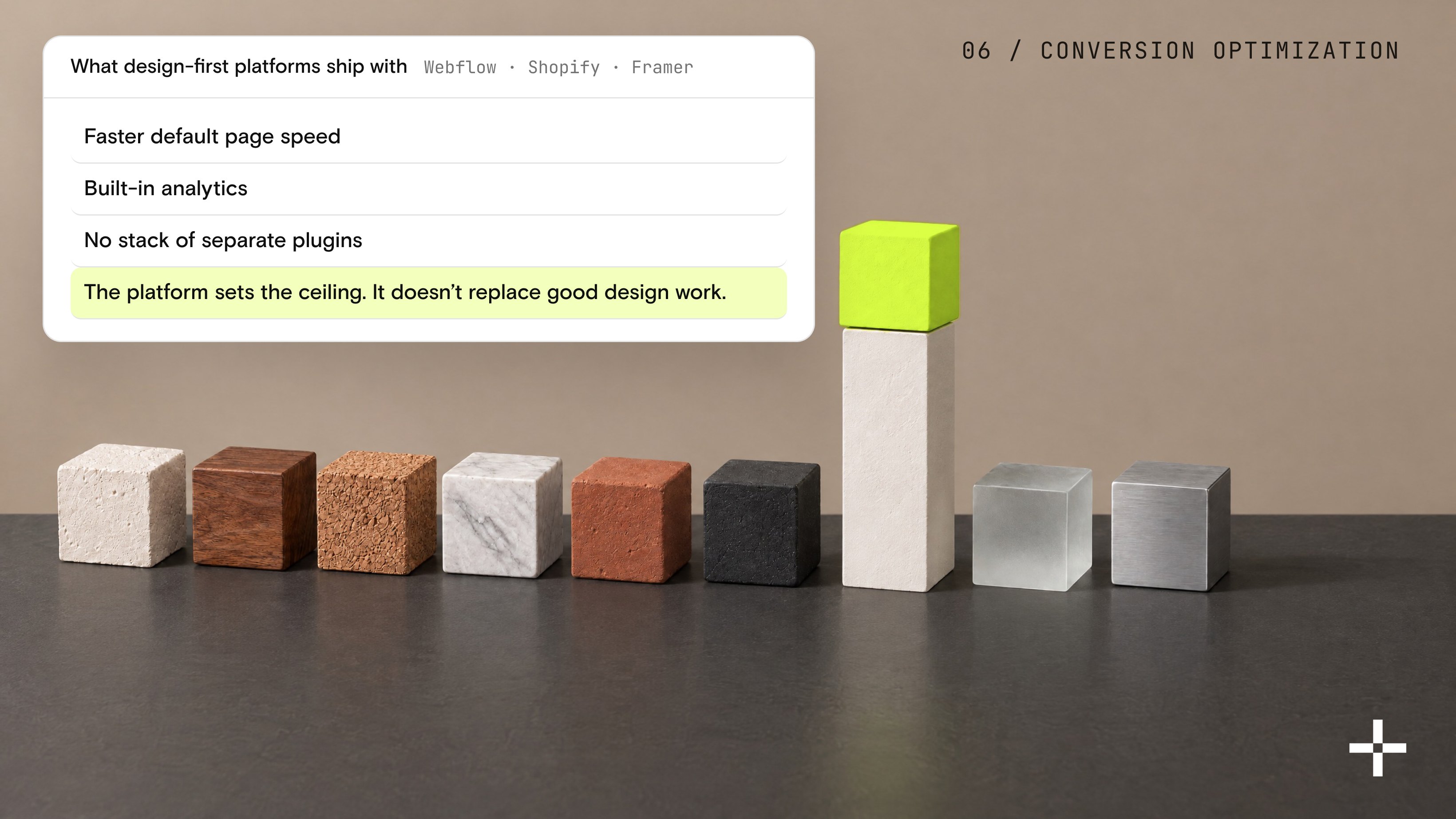
WordPress alternatives tend to compare well on conversion rate optimization, since design-first platforms like Webflow, Shopify, and Framer ship with faster default page speeds and built-in analytics, without needing a stack of separate plugins to get there.
Here I will give a very clear example of our own work:
- Rillet (AI-native ERP): reached a $1 billion valuation 15 months after its Webflow site went live, tripled its traffic in the first two months post-launch, and grew from 5 pages to more than 50 without losing shape
- Gridwise: a direct WordPress-to-Webflow migration that lifted conversions 24% and held every existing search ranking through the move
Worth separating two effects here, though, because they get conflated constantly: platform speed explains a meaningful chunk of that lift.
But a bad redesign on any platform will still underperform a good one, no matter which CMS is powering it underneath.
So yes, the platform sets the ceiling, but it doesn't replace good design work.
Speed and conversion numbers are one half of the ROI conversation. But the other half is what it actually costs to keep the website running, month after month, year after year.

How does long-term maintenance compare across WordPress alternatives?
According to Codeable, professional maintenance plans run $240 to $1,000+ a month, or roughly $2,880 to $12,000+ a year once a developer is involved.
DIY upkeep costs far less in dollars (hosting, a domain, maybe a plugin license or two), but trades that savings for the site owner's own time.
Managed platforms trade that labor for a fixed cost instead, whether that's a flat subscription, a one-time license, or a usage-based fee:
- Squarespace: $228 to $1,188 a year, billed annually
- Webflow: $180 to $300 a year (Basic to Premium, billed annually)
- Wix: $204 to $348 a year (Light to Core, billed annually)
- Framer: $120 to $360 a year (Basic to Pro, billed annually)
- Ghost: $216 to $348 a year (Starter to Publisher, billed annually), with 0% of subscription revenue
- HubSpot Content Hub: $5,400 a year (Professional, billed annually)
- Shopify: starts around $348 a year on its entry plan, but real cost climbs with transaction fees as sales grow
- Sanity: about $180 a year per seat on the Growth plan, with total cost driven by editor count and API usage
- Statamic: a one-time $349-per-site license, then $99 a year for continued updates
Free software, paid operation
WordPress the software is free. WordPress the operation rarely is.
The comparison people run is a $0 license against a $25 subscription, and it skips the one line item that reliably costs money: who patches, backs up, and troubleshoots the site every month. I hear that version of the math on discovery calls constantly. At very large enterprise scale it can flip back the other way, so run your own numbers there rather than assuming a managed platform automatically wins.
That gap is mostly labor, not software licensing, which is the same DIY-versus-AIO trade-off driving the platform choice in the first place.
And for the mid-size marketing site most teams reading this actually run, the maintenance bill is where "WordPress is free" stops being exactly true.

The right platform is the one your team can run
After everything covered I want to be clear about one thing: WordPress is a perfectly good platform to build on.
It is no longer the only platform, and pretending otherwise is how teams end up stuck on the wrong one for years, paying for it in maintenance hours nobody budgeted for.
The right move depends on what your team actually is: a design-led startup, an engineering-heavy product company, a B2B marketing org that lives inside its CRM, or yes, sometimes a perfectly good WordPress site that was never actually the problem to begin with.
Still not sure which side of that line you're on?
Get in touch with our team and we'll tell you plainly where your setup stands against these. Migrate, stay, or somewhere in between, you'll get a straight answer either way.
Let's move your site off WordPress
25 design awards, Webflow Premium Partner, and client partnerships that average over three years.
Start a project