Key takeaways
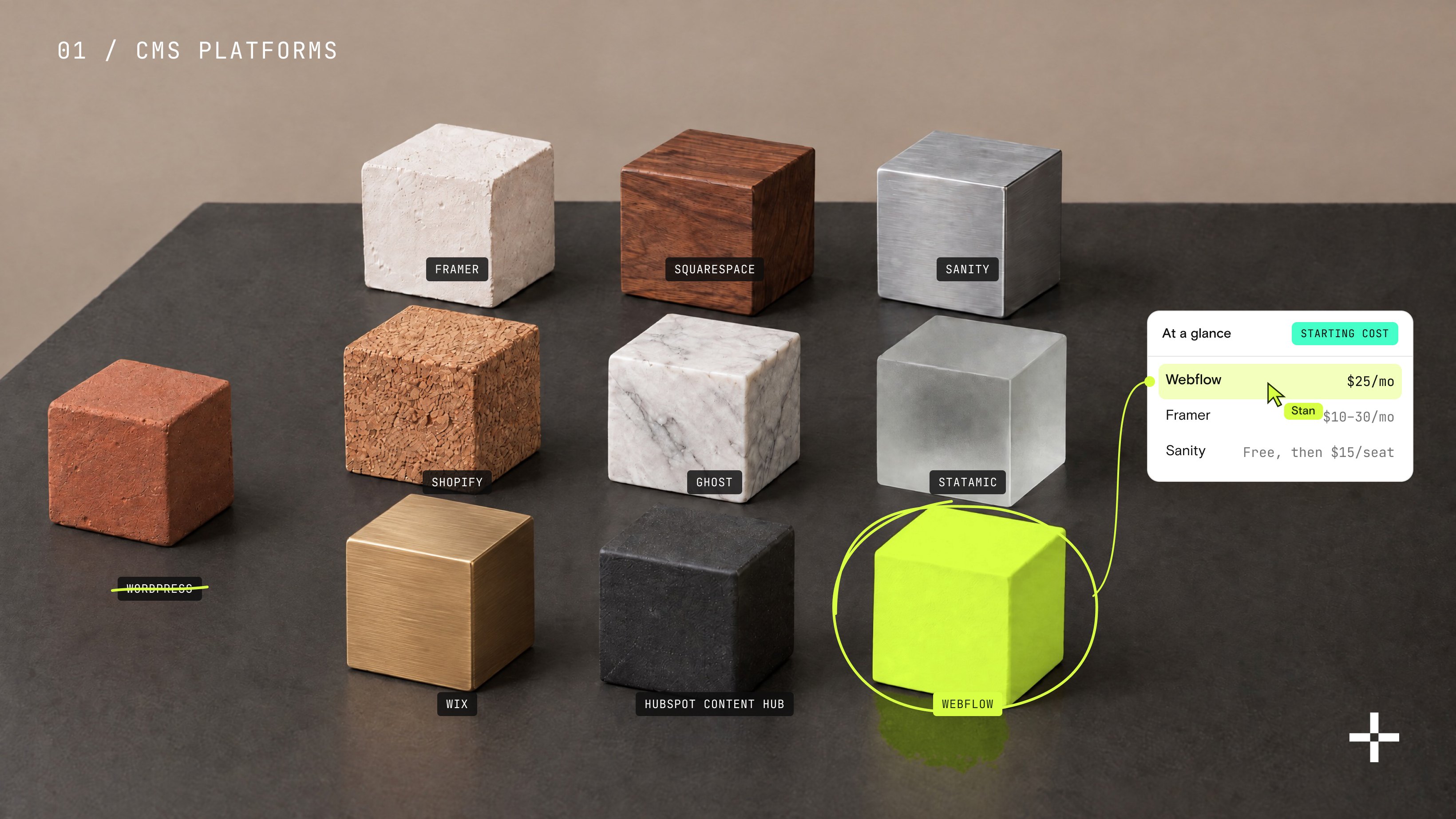
- Webflow's own Site plans run $15 to $39 a month, and that number covers hosting, a CDN, SSL, and backups with nothing extra to configure.
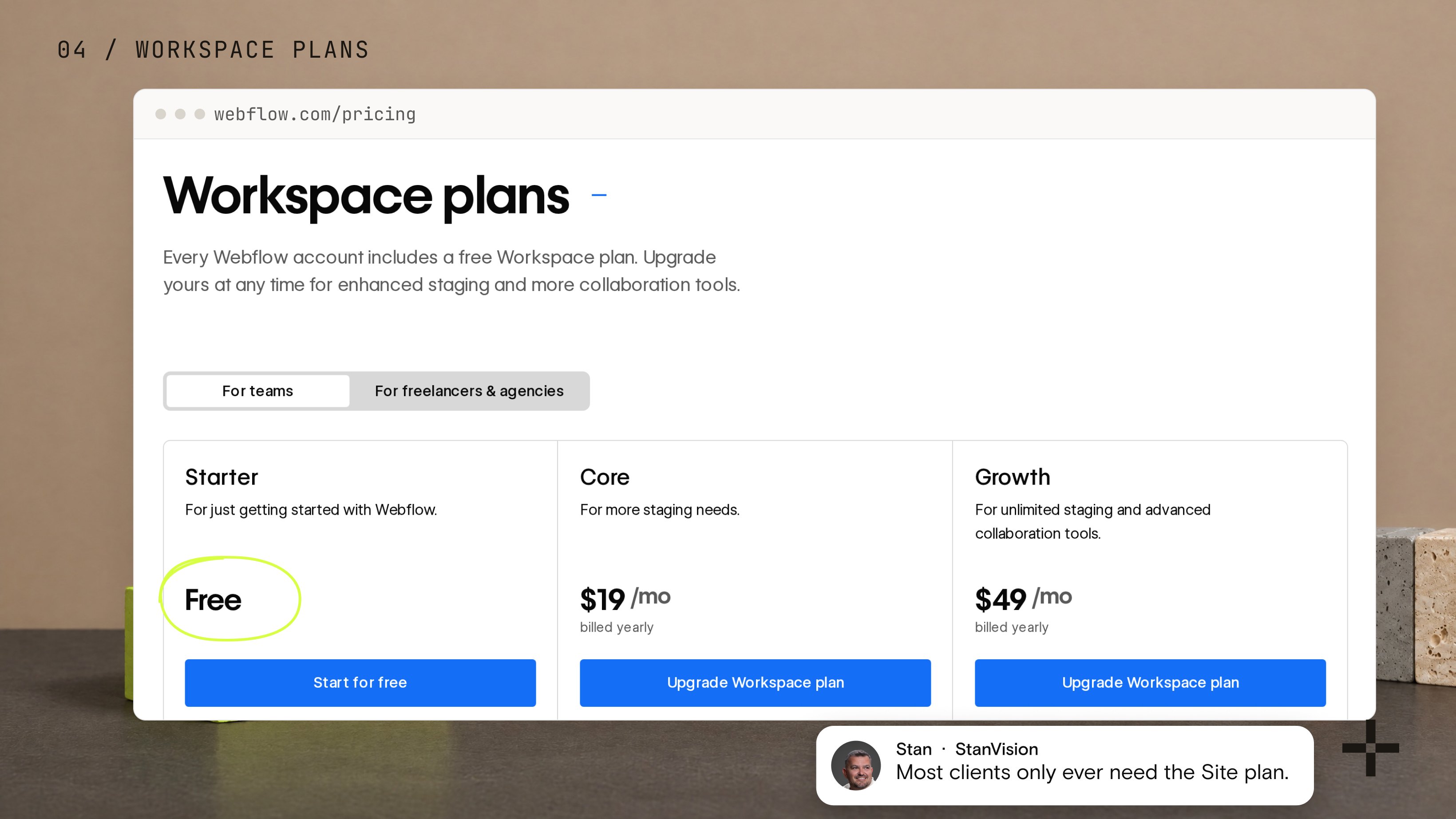
- Site plans and Workspace plans bill separately and solve different problems. Most clients only ever need the Site plan.
- Ecommerce fees, optional add-ons like Optimize and Analyze, and bandwidth beyond the included allowance are all listed openly on Webflow's own pricing page.
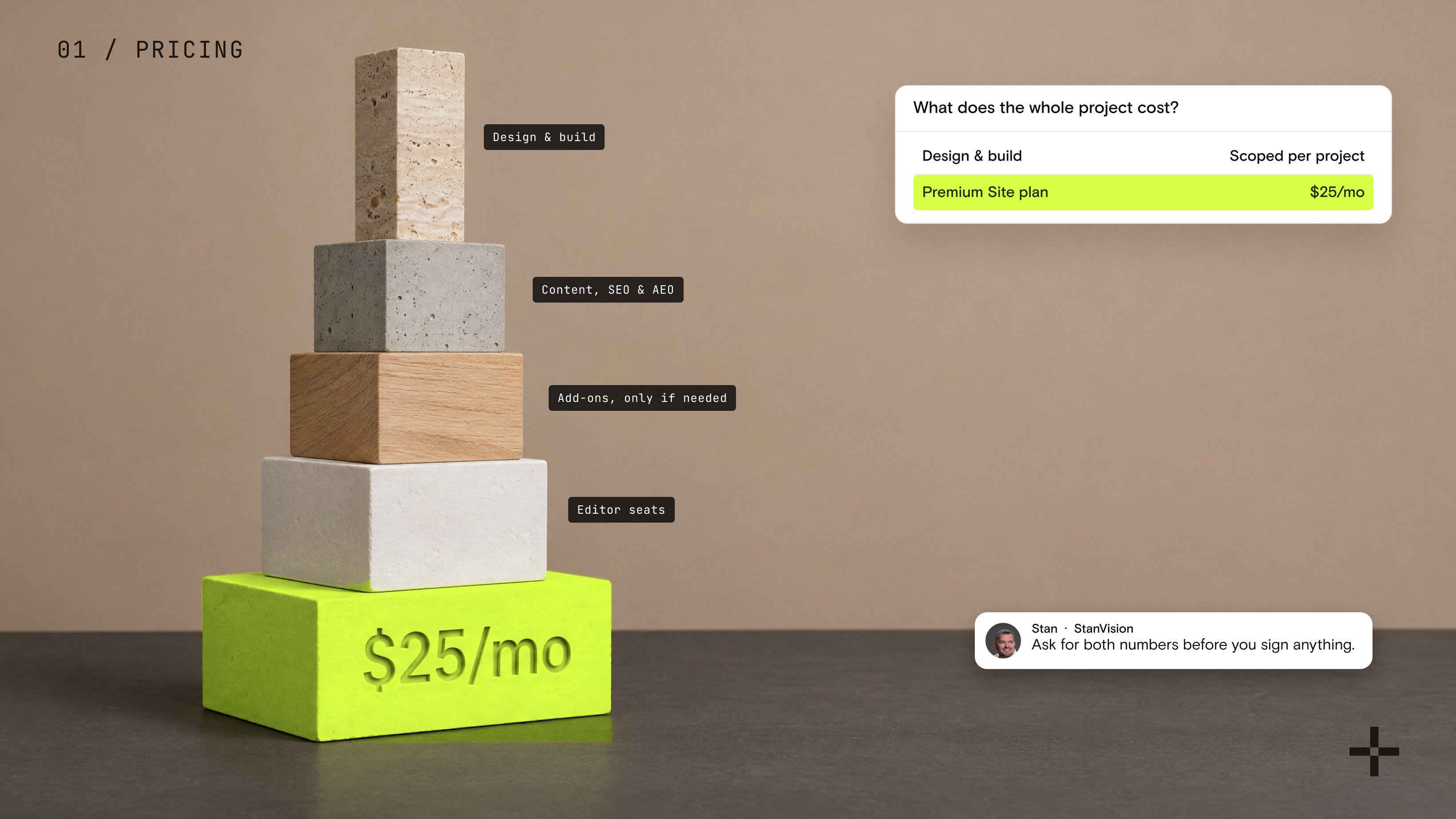
- The platform fee is almost never the biggest line in a Webflow project's budget. The design, content, and SEO and AEO work built on top of it usually is.
Every founder I talk to eventually asks some version of the same question: what does a Webflow site actually cost, once you get past the number on the pricing page?
It's a fair question, because the number you see on Webflow's site is only part of the story. It doesn't tell you what a real, live business site costs once design, content, and ongoing work get added on top.
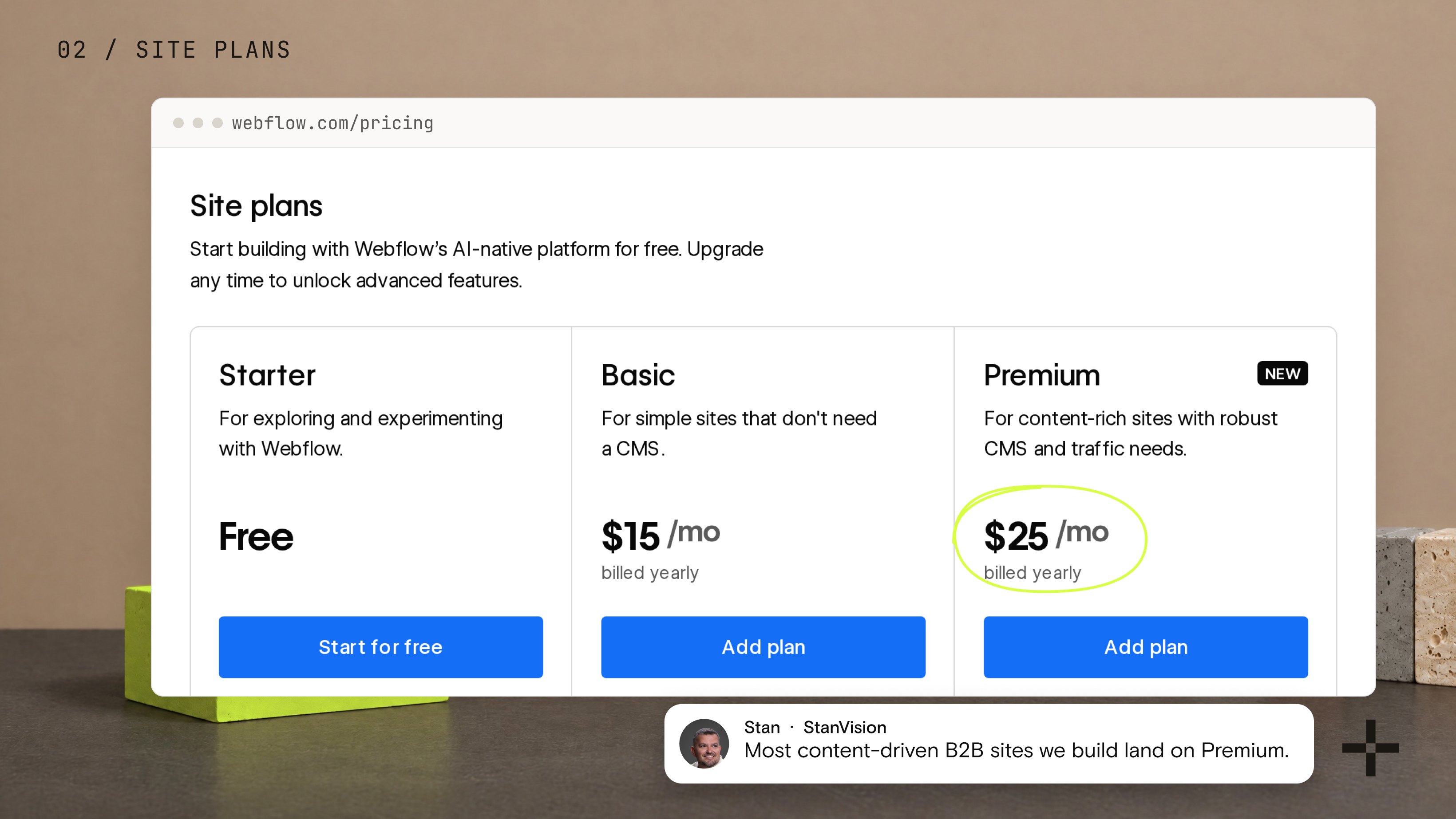
Short answer: Webflow itself costs $15 to $39 a month for a Site plan, and most B2B sites land on Premium at $25 a month billed yearly. The design, build and content on top of it is where the real budget goes.
One thing worth knowing before you compare any numbers: Webflow restructured its plans on May 13, 2026. The old CMS and Business plans are gone, folded into a single Premium plan. Most pricing guides still quote the old ones, so check the date on anything you read, including this.
So here's the honest breakdown: what Webflow pricing looks like now, what a real B2B site actually needs, and where the rest of the budget goes.
What does Webflow's pricing actually look like today?
All figures here are current as of 2026.
Webflow pricing splits into three separate products, and most first-time confusion starts here. Site plans make an individual website live on a custom domain.
Workspace plans handle collaboration, staging, and team permissions. Ecommerce plans are a specialized version of a Site plan for stores taking payments. They bill separately because they solve different problems, and a website almost always only needs the first one.
For a standard marketing or content site, Webflow's current Site plans break down like this:
| Site plan | Billed yearly | Billed monthly | What you get |
|---|---|---|---|
| Starter | Free | Free | A .webflow.io subdomain, 2 static pages, 1 GB of bandwidth, 50 form submissions |
| Basic | $15 per month | $25 per month | Custom domain, 300 static pages, 10 GB bandwidth, unlimited form submissions, no CMS |
| Premium | $25 per month | $39 per month | Everything in Basic, plus the CMS, 20,000 CMS items, 40 collections, site search, bandwidth up to 2.5 TB |
| Team | From $2,500 per month | Annual contract only | Governance and publishing workflows for larger internal marketing teams |
Starter is good for prototyping, not for a live business site.
Most content-driven B2B sites we build land on Premium, because a blog, a resource library, or case studies all live in the CMS, and Basic does not include one. This is the number we scope every Webflow development project against first, since it decides what a client pays Webflow directly, separate from what they pay an agency for the design and build.
What does the Webflow Enterprise plan cost?
Webflow does not publish a fixed price for Enterprise, on either the Site plan or the Workspace plan. Both are quote-based through Webflow's sales team, scoped to the organization's traffic, security requirements, and team size, so there is no number to put on a pricing table here.
What the Enterprise Site plan adds on top of Team is custom CMS and bandwidth limits, granular permissions, custom roles, advanced governance, secure integrations, a dedicated account manager, enhanced SLAs, and fully custom configurations.
The Enterprise Workspace plan mirrors that on the collaboration side: unlimited seats, single sign-on, SCIM provisioning, custom security questionnaires, and a dedicated customer success team, plus premium SLA options like phone support and a dedicated solutions architect.
This tier fits organizations that have already outgrown Team, usually because of compliance requirements, a large distributed team, or scale that needs guarantees rather than published limits. It is a conversation with Webflow's sales team, not a checkout page. For enterprise-scale Webflow projects, that conversation usually happens alongside scoping the build itself.
What does a typical client site pay Webflow?
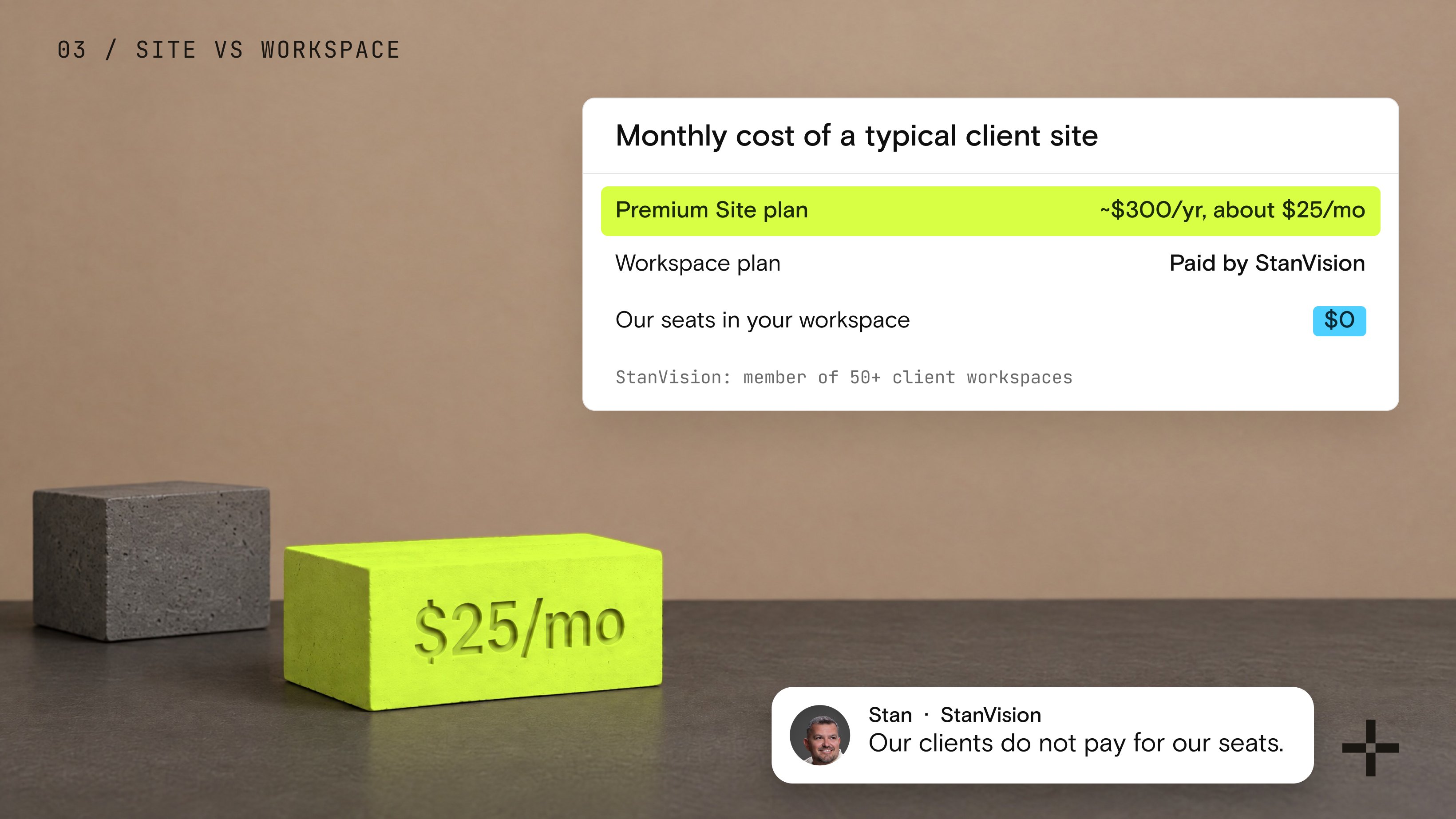
The calculation is actually very simple. For the website itself, it is around $300 per year on the Premium plan, which works out to about $25 per month.
Of course, the total can vary depending on how many users the client wants to have as editors and what types of permissions they need, since different permissions can have different costs. It can also depend on how much traffic the website generates. If a website starts receiving significant traffic, Webflow may charge more for hosting and CDN usage.
The important thing to clarify is that our clients do not need to pay for a Workspace plan for us to manage their websites. The Workspace plan is something we have as an agency and pay for ourselves. We can join our clients' workspaces without requiring them to pay for additional seats for our team.
At the moment, we are members of more than 50 different workspaces, and our clients do not pay for our seats.
This allows us to support and edit their websites without creating an additional Workspace cost for them.
What pushes a site past the CMS limits?
We have not had a client reach the CMS item limit so far. When we have needed to migrate a client to a higher plan, it has usually been because they reached the limit on the number of CMS collections they could have on a single website.
For example, we have one client that moved to an Enterprise plan specifically because they needed significantly more CMS collections than were available on the Premium plan. That client is SmartSuite.
If a growing site is approaching that kind of collection ceiling, a Webflow migration engagement is where that scoping conversation starts.
What do Webflow's ecommerce and workspace plans cost beyond the basics?
If a site is selling products through the native checkout rather than just publishing content, the Webflow pricing shifts to the Ecommerce tier:
- Standard: $29 per month billed yearly. Up to 500 items, a 2 percent transaction fee on top of Stripe or PayPal's own processing fees.
- Plus: $74 per month billed yearly. Up to 5,000 items, transaction fee drops to 0 percent.
- Advanced: $212 per month billed yearly. Up to 15,000 items, unlimited sales volume, no transaction fee.
Workspace plans run on a separate track entirely. For in-house teams: Starter is free, Core runs $19 per month, and Growth runs $49 per month, all billed yearly, unlocking more staging sites and collaboration controls.
For agencies and freelancers specifically: a Freelancer workspace is $16 per month and an Agency workspace is $35 per month. On top of any workspace, individual seats are priced separately: a Full seat (design access) runs $39 per month, a Limited seat (content editing only) runs $15 per month, and a Free or reviewer seat costs nothing.
Still deciding between Webflow and WordPress? Explore our full Webflow vs. WordPress comparison to see which platform better fits your business, team, and long-term goals.
What costs sit outside the base Site plan?
All of what follows is listed openly on Webflow's own pricing and add-ons pages. It simply sits outside the base Site plan number most people quote first, so it is worth knowing about before scoping a project.
- Add-ons. Webflow Optimize (A/B testing and personalization) starts at $299 per month. Webflow Analyze (built-in analytics) starts at $9 per month. Localize starts at $9 per month per locale on the Essential tier, or $29 per month on the Advanced tier. Extra AI credit packs run $20 per month for 2,000 credits.
- Bandwidth beyond the included allowance. Premium includes 50 GB. Beyond that, capacity is sold in clear tiers up to 2.5 TB, starting around $20 per month for an extra 50 GB. Most B2B marketing sites never reach it.
- Webflow Cloud usage. If a site runs a connected app or database through Webflow Cloud, requests and compute time past the included allowance are billed separately, in small per-unit increments.
- Sales tax. Webflow's listed prices are pre-tax, the standard practice for SaaS pricing. Depending on the client's location, state or country tax gets added at checkout.
For the large majority of B2B marketing sites we build, none of these come into play. A single Premium Site plan covers the site itself, in full, for the life of the project.
The add-ons exist for specific needs (running experiments, tracking AEO visibility, translating a site into multiple languages), not as a default cost every client should expect.
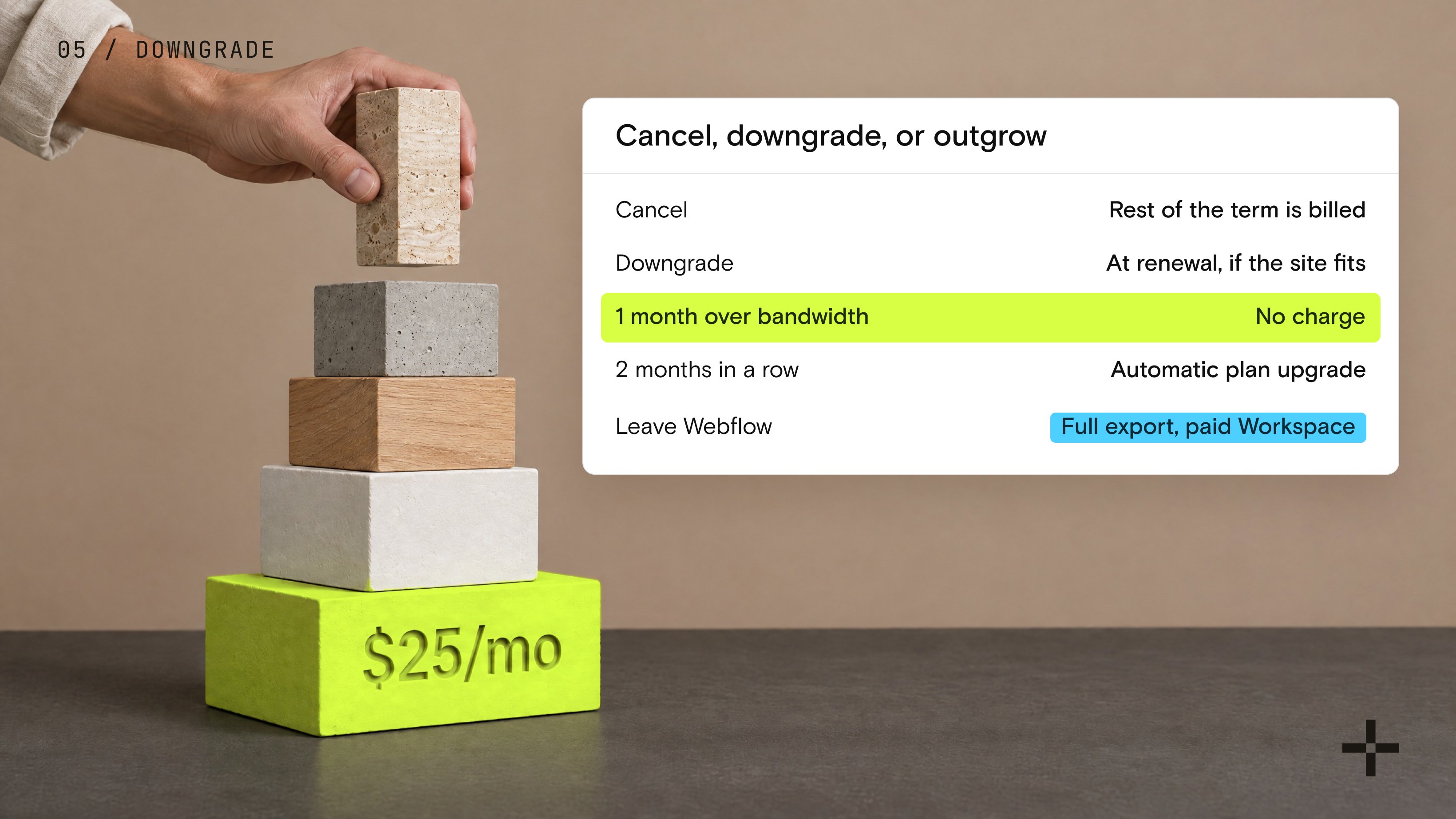
What happens if I cancel, downgrade, or outgrow my Webflow plan?
This is the question most pricing guides skip, and it matters more than most of the numbers above once a site is actually live.
Canceling a Site or Workspace plan is allowed at any time, but Webflow bills out the remainder of the term you signed up for. On an annual plan, that means the remaining months of that year, not just the current one.
Downgrading works differently: it takes effect at your next renewal, and only if your site already fits inside the lower plan's limits, so a site with 50 CMS collections cannot drop to Premium, which caps at 40, until that content is consolidated.
Bandwidth overages are handled with more grace than most platforms. Webflow's surge protection means a single month over your included bandwidth does not trigger an automatic charge. Two consecutive months over the limit does trigger an automatic plan upgrade, which is worth knowing before traffic spikes catch a site off guard.
If a client ever wants to leave Webflow entirely, any paid Workspace plan (Core, Growth, Freelancer, or Agency) allows a full site export, no attribution required. The one limitation worth flagging upfront: CMS content has to be exported collection by collection, and forms stop working once the site is off Webflow's hosting, since Webflow's form handling does not travel with the exported code.
Before You Set the Budget
Know what Webflow will cost and what your build will actually require.
Get the NumbersWhat do you pay us after launch?
After launch, there is no plugin bill from us and no maintenance retainer. That surprises people, so it is worth saying plainly. We integrate the tools our clients already pay for, such as HubSpot and Intercom, and those stay on their existing plans.
We also do not charge a separate maintenance fee. The websites we build generally do not require ongoing maintenance in the traditional sense. What we do charge for is improvements and continued development. Our clients often want to keep developing and scaling their websites after launch, and that ongoing growth is where we provide additional services and charge for our work.
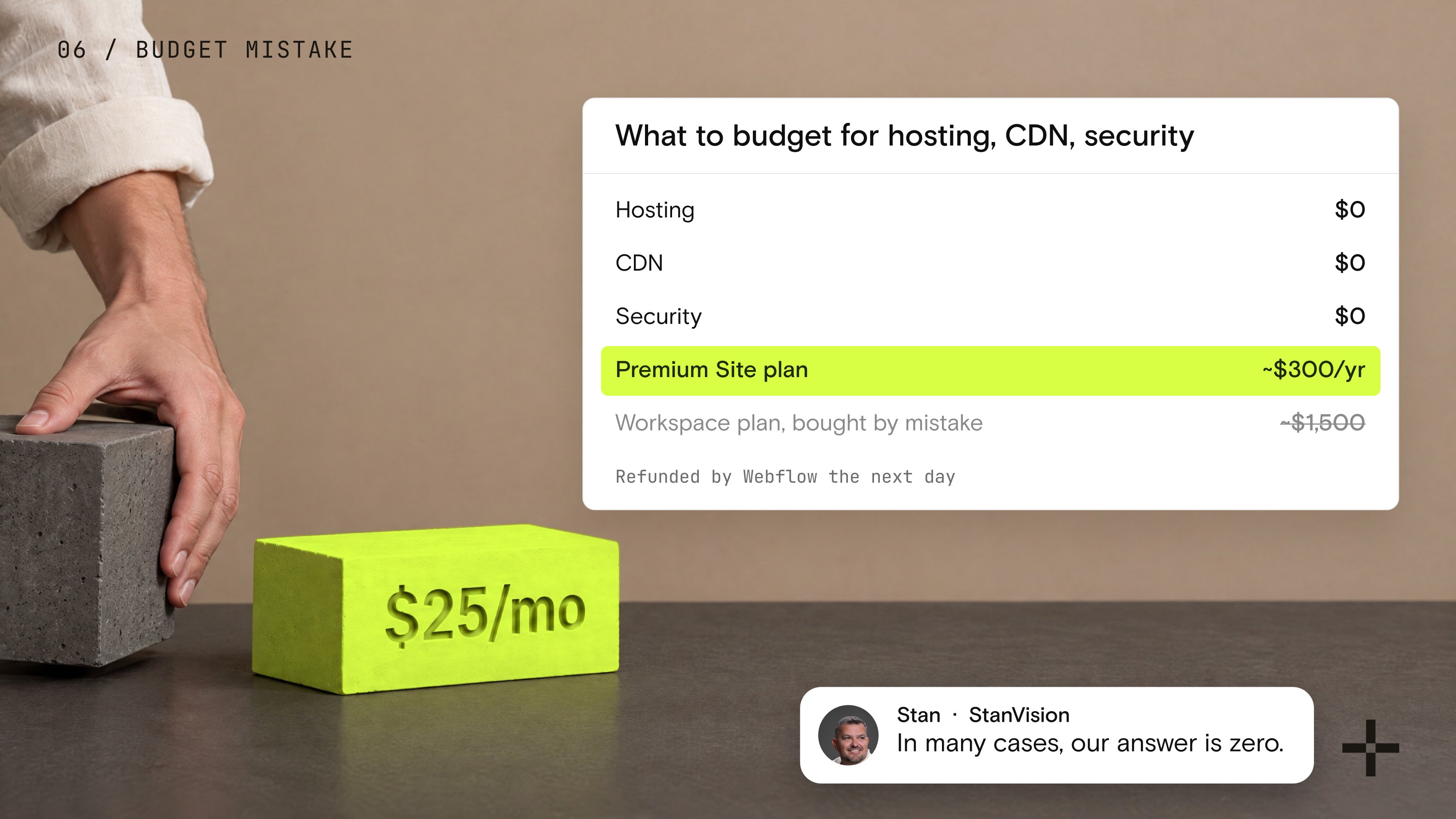
What's the most common Webflow budgeting mistake?
Our clients are often surprised when they initially ask how much they need to budget for website hosting, CDN, security, and other functionality. In many cases, our answer is zero because much of this is already built into Webflow.
For a typical website, the main cost is the Webflow site plan, which is around $300 per year on the Premium plan. There is generally no need to budget separately for additional hosting, CDN, or website security costs. The main variable is the number of users and editors they need, depending on their requirements.
We have also had a client make the mistake of purchasing a Workspace plan instead of the website hosting plan because they did not understand that they did not need a Workspace plan.
They only needed the website hosting plan. They ended up paying around $1,500 for the Workspace plan, but Webflow refunded the money to their account the next day without any issues.
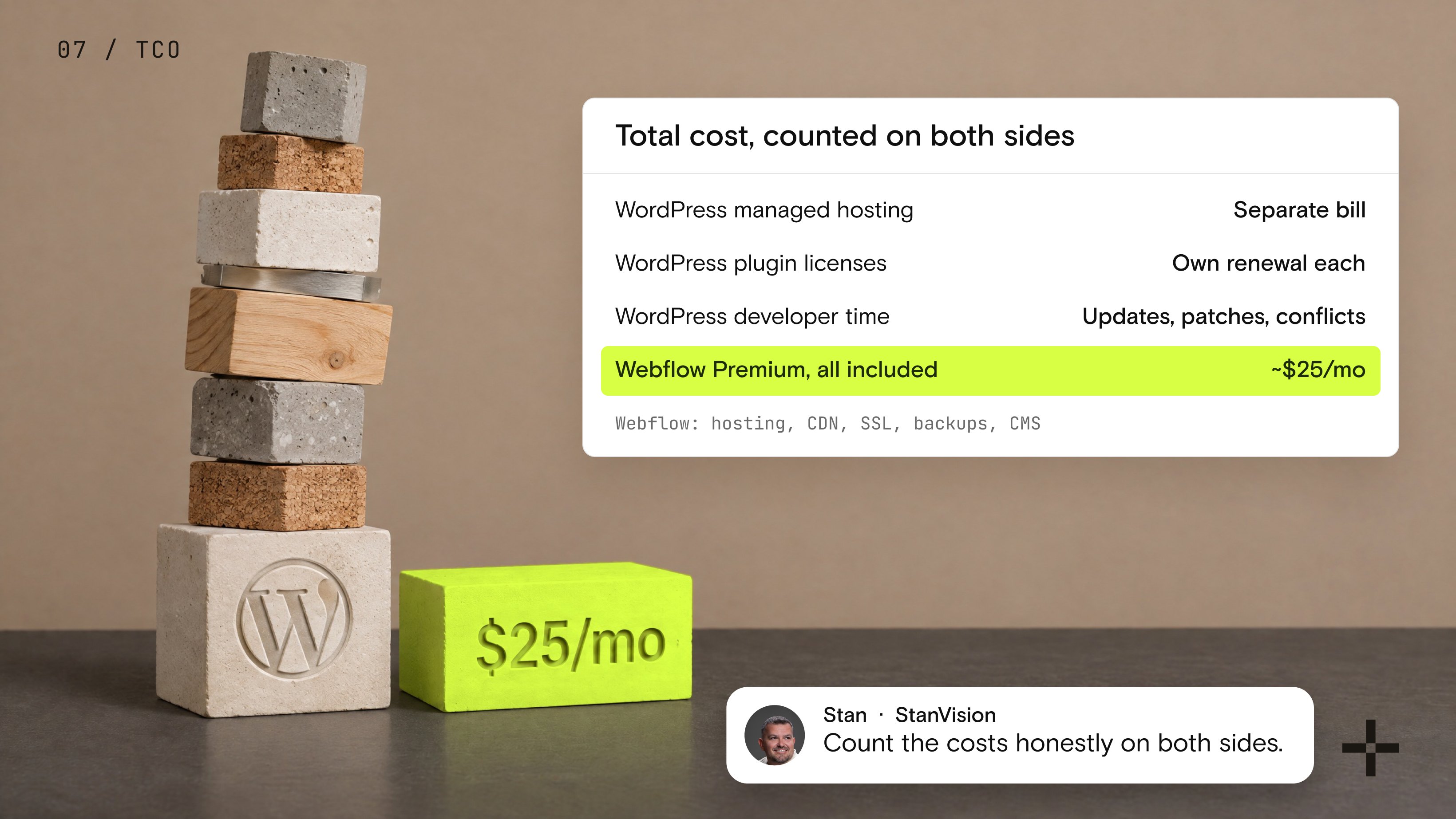
Is Webflow cheaper than WordPress once you count everything?
This question comes up in almost every discovery call where a client is comparing platforms, so it is worth answering directly.
WordPress looks cheaper on the surface because the core software is free. What that comparison usually leaves out is managed hosting for a business site with real traffic, and premium plugin licenses for SEO, forms, security and backups, each on its own renewal cycle.
Then there is developer time: someone has to apply core updates, patch plugins, and resolve conflicts when two plugins stop agreeing with each other. None of that shows up on a WordPress pricing page, because WordPress does not have one.
Webflow's Premium plan, at roughly $25 a month, already includes hosting, a global CDN, SSL, automatic backups, and a CMS with no plugin stack to maintain.
For a B2B marketing site where the team wants to publish and edit without filing a developer ticket, the total cost of ownership tends to favor Webflow once hosting, plugins, and maintenance time are counted honestly on both sides.
Webflow pricing: the two numbers to ask for
Webflow pricing only feels complicated because two separate questions get asked as one. What does the platform cost, and what does the whole project cost?
Once those are split apart, the first is simple: pick a Site plan, add a Workspace or add-on only if you actually need one. The second depends entirely on the site you're building and who builds it.
If you take one thing from this article, let it be this: ask for both numbers before you sign anything, not just the Webflow subscription.
A quote that only covers design and build time, without mentioning what Webflow itself will bill you monthly, is an incomplete quote. The reverse is just as true. Webflow pricing without a real build estimate next to it tells you almost nothing about what a finished site will actually cost.
That is the version of "how much does Webflow cost" worth asking, and it is the one I always answer in full before a project starts.
Ready to Put a Number On It?
Tell us what you're building. We'll turn it into a clear Webflow budget.
Get a Project EstimateFrequently asked questions
Is Webflow free?
Yes, in a limited way. Webflow's Starter plan is free forever and includes full access to the visual designer, a .webflow.io subdomain, 2 static pages, 1 GB of bandwidth, and 50 form submissions. It works well for prototyping or learning the platform, but a live business site almost always needs a paid Site plan for a custom domain and more capacity.
How much does Webflow cost per month?
Webflow's Site plans run from $15 a month (Basic, billed yearly) to $39 a month (Premium, billed monthly). The Premium plan, which includes the CMS, costs $25 a month when billed yearly. Ecommerce plans run $29 to $212 a month, and the bundled Team platform plan starts at $2,500 a month on an annual contract.
How much does a Webflow website cost?
Two separate numbers make up the total: the Webflow Site plan itself (typically $15 to $39 a month) and the cost to design and build the site, which depends entirely on who does the work. The honest answer for the build itself is a scoping conversation rather than a generic industry average.
How much does it cost to hire a Webflow agency?
Rates vary widely by agency, scope, and complexity. There is no useful industry average that applies to every Webflow project, so the honest answer to "what will this cost me" is a scoping conversation based on what you are actually building.
Does Webflow charge transaction fees?
Only on Ecommerce plans, and only on the entry tier. The Standard ecommerce plan charges a 2 percent transaction fee on top of Stripe or PayPal's own processing fees. The Plus and Advanced ecommerce plans both drop that fee to 0 percent. Standard content or marketing Site plans, which is what most B2B websites run on, never carry a transaction fee at all.

Stan Kirilov
Stan has led design for over 20 years, first as a hands-on designer, now as Experience Director at StanVision. He works with SaaS and fintech companies, from first-time founders to global brands, on products and websites built to convert, not just to look good.
He serves on the Awwwards jury and still reviews every project that ships. His standard is simple: if a design doesn't perform, it isn't finished.

.svg)